Loading
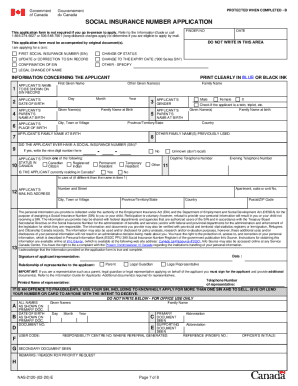
Get Canada Nas-2120 2020-2026
How it works
-

Open form follow the instructions
-

Easily sign the form with your finger
-

Send filled & signed form or save
How to fill out the Canada NAS-2120 online
This guide provides a clear and supportive approach to filling out the Canada NAS-2120 form, which is essential for obtaining a Social Insurance Number (SIN). Following these steps will ensure that users complete the application process smoothly and correctly.
Follow the steps to successfully complete your Canada NAS-2120 application.
- Click ‘Get Form’ button to obtain the form and open it in the editor.
- Gather original proof-of-identity documents. You must have primary proof-of-identity documents such as a birth certificate or citizenship certificate. Make sure photocopies are not included as they are not accepted.
- Complete the application form by filling items 1 to 13, except for the optional gender information. Make sure the listed parent names do not repeat and sign the form in blue or black ink. Remember that specific signing rules apply based on the applicant's age.
- If applicable, prepare additional documents required for representatives or if you are applying on behalf of someone else. Ensure all necessary documents are included and in the original format.
- Mail the completed and signed application form along with original proof-of-identity documents to the Social Insurance Registration Office. Utilize a secure mailing method to protect your information and ensure your application is received.
- After mailing, wait for your SIN to arrive by mail within 20 business days. If there’s an issue with your application, ensure you provide all necessary documents to avoid any delays.
Start filling your Canada NAS-2120 application online today to ensure you secure your Social Insurance Number efficiently.