Loading
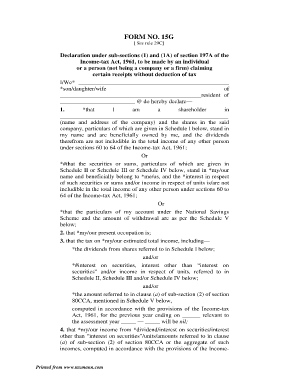
Get Abhyudaya Bank 15g Form
How it works
-

Open form follow the instructions
-

Easily sign the form with your finger
-

Send filled & signed form or save
How to fill out the Abhyudaya Bank 15g Form online
Filling out the Abhyudaya Bank 15g Form is an important step for individuals seeking to declare certain receipts without tax deduction. This guide provides clear, step-by-step instructions on how to electronically complete this form, ensuring compliance with income tax regulations.
Follow the steps to successfully complete the Abhyudaya Bank 15g Form online.
- Click the 'Get Form' button to obtain the Abhyudaya Bank 15g Form and open it in your preferred editing interface.
- Begin filling in your personal details in the provided fields, such as your name and the name of your parent or partner. Ensure that all information matches your official documents.
- Indicate your residency status in India, referring to Section 6 of the Income-tax Act, 1961. Select 'am' or 'am not' as applicable.
- Complete Schedule I with details of your shares, including the number of shares, their face value, and the date acquired.
- Fill out Schedule II for any securities or sums owned, detailing the description and number of securities along with the dates they were acquired.
- In Schedule III, provide the name and address of the person to whom sums are given on interest, as well as the amount and interest rate.
- Complete Schedule IV for any units in mutual funds, including their distinctive number and income related to those units.
- If applicable, fill out Schedule V with details regarding your account under the National Savings Scheme, including the account number and amount withdrawn.
- Review your entries to ensure accuracy and completeness. It is crucial to verify that all information is correct before finalizing the form.
- Once all fields are accurately filled out, save your changes, download the filled form, and print or share it as necessary.
Start completing your Abhyudaya Bank 15g Form online today to ensure a smooth declaration process.
NUUP Code to Get Abhyudaya Co-Operative Bank Mini Statement Get Your Abhyudaya Co-Operative Bank Mini Statements on Your Mobile without Internet. Dial the NUUP Service Number * 99* 87# from your mobile handset and access your bank account details.