Loading
Get Bid Bond - Us Department Of Agriculture - Forms Sc Egov Usda
How it works
-

Open form follow the instructions
-

Easily sign the form with your finger
-

Send filled & signed form or save
How to fill out the BID BOND - US Department Of Agriculture - Forms Sc Egov Usda online
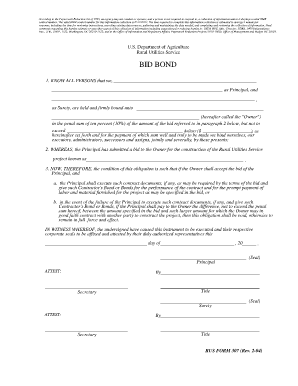
Filling out the BID BOND form for the US Department of Agriculture is an important step for participants in the bidding process. This guide provides detailed, straightforward instructions to assist users in completing the form accurately and efficiently online.
Follow the steps to complete your BID BOND form easily.
- Press the ‘Get Form’ button to access the form and open it in your preferred online editor.
- In the first section, identify the Principal and Surety by entering their respective names in the designated fields. Ensure that these names are spelled correctly to avoid any discrepancies.
- Next, input the Owner's name in the specified area, referring to the entity that will accept the bid. Be sure to clarify the exact legal name to ensure proper identification.
- State the total bid amount in the appropriate field. This amount should be clear and precise, ensuring it reflects the intended sum for the project.
- In the subsequent paragraph, specify the project name for the Rural Utilities Service. This should match the project referenced in your bid.
- Review the conditions outlined, which include execution of contract documents and performance bonds. Ensure completeness as these stipulations form the basis of your obligation.
- Under the 'In Witness Whereof' section, complete the date field appropriately. This date should reflect when the form is being signed.
- Sign and seal the document in the designated areas for both the Principal and the Surety. Be sure to include titles and attestations as required.
- Once the form is filled out completely, save your changes. You may also choose to download, print, or share the document as needed.
Complete your BID BOND form online today to ensure compliance with the bidding requirements.
You can set the checkbox size by using the CSS width and height properties. Use the height property to set the height of the checkbox and the width property to set the width of the checkbox.
Industry-leading security and compliance
US Legal Forms protects your data by complying with industry-specific security standards.
-
In businnes since 199725+ years providing professional legal documents.
-
Accredited businessGuarantees that a business meets BBB accreditation standards in the US and Canada.
-
Secured by BraintreeValidated Level 1 PCI DSS compliant payment gateway that accepts most major credit and debit card brands from across the globe.