Loading
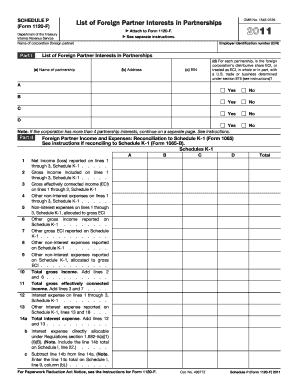
Get Schedule P Form 1120 F
How it works
-

Open form follow the instructions
-

Easily sign the form with your finger
-

Send filled & signed form or save
How to fill out the Schedule P Form 1120 F online
Filling out the Schedule P Form 1120 F is essential for reporting the interests of foreign partners in partnerships. This guide provides clear, step-by-step instructions to help users complete the form accurately online.
Follow the steps to complete the Schedule P Form 1120 F online.
- Click ‘Get Form’ button to download the Schedule P Form 1120 F and open it for editing in your preferred online document editor.
- Begin filling out Part I, where you will need to input the employer identification number (EIN) and detail each partnership interest. List the name and address of each partnership along with their EINs. Indicate whether the foreign corporation’s distributive share is considered effectively connected income (ECI) with a U.S. trade or business for each partnership.
- Proceed to Part II, which requires reconciliation of foreign partner income and expenses to Schedule K-1. Input net income or loss, gross income, and other relevant expenses from the Schedule K-1 associated with each partnership.
- Next, complete Part III, focusing on the foreign partner's average outside basis. Fill in all required fields, including the section 705 outside basis and details regarding partner liabilities that impact interest expense allocations.
- Review all the information for accuracy. Make any necessary adjustments before moving forward.
- Finally, once completed, you can save changes to the document, download it, print for your records, or share it with your tax professional.
Take action now and complete the Schedule P Form 1120 F online.
How do I produce a Schedule F when preparing a Corporation or S Corporation return? Schedule F (Form 1040) is produced in the Individual (1040), Fiduciary (1041) and Partnership (1065) Systems. It is not produced in the S Corporation (1120S) system.