Loading
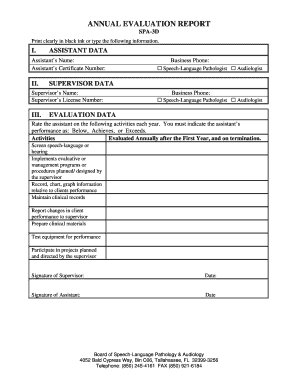
Get Annual Evaluation Form Spa-3d-logo Removeddoc
How it works
-

Open form follow the instructions
-

Easily sign the form with your finger
-

Send filled & signed form or save
How to fill out the Annual Evaluation Form SPA-3D-logo Removeddoc online
Filling out the Annual Evaluation Form SPA-3D-logo Removeddoc online is a straightforward process that ensures evaluations are conducted efficiently. This guide provides step-by-step instructions to help users complete the form accurately and effectively.
Follow the steps to complete your evaluation form online.
- Click the 'Get Form' button to access the document and open it in your editing interface.
- Start by entering the assistant's name and certificate number in the designated fields at the top of the form.
- Indicate the assistant's professional title by selecting either 'Speech-Language Pathologist' or 'Audiologist' from the provided options.
- Next, fill in the supervisor's name and license number in the supervisor data section.
- You will find a space to input the business phone. Make sure to provide a valid contact number.
- Rate the assistant on the listed activities by selecting one of the performance indicators: 'Below', 'Achieves', or 'Exceeds'. Each activity is evaluated annually and upon termination.
- Once you have completed all relevant sections and evaluations, sign the form in the designated area for both the supervisor and the assistant.
- Finally, after reviewing your entries, you can save the changes, download the form, print it for records, or share it as needed.
Complete your documents online today for a seamless evaluation process.
Monthly Payment = Depreciation + Rent Charge + Taxes As we mentioned earlier, it's important to know all the factors that contribute toward calculating your lease, including your Residual, Money Factor, and Net Capitalized Cost. All of these values can change from vehicle to vehicle, and again from year to year.