We use cookies to improve security, personalize the user experience, enhance our marketing activities (including cooperating with our marketing partners) and for other business use.
Click "here" to read our Cookie Policy. By clicking "Accept" you agree to the use of cookies. Read less
Read more
Accept
Loading
Form preview
  • US Legal Forms
  • Form Library
  • More Forms
  • More Uncategorized Forms
  • Technology Integration Self Assessment Tisa - Adult Career And - Acces Nysed

Get Technology Integration Self Assessment Tisa - Adult Career And - Acces Nysed

Technology Integration SelfAssessment 1.ACCESS THESTATEEDUCATIONDEPARTMENT/THEUNIVERSITYOFTHESTATEOFNEWYORK/ ALBANY,NY12234 ADULTCAREERANDCONTINUINGEDUCATIONSERVICES(ACCES) ADULTEDUCATIONPROGRAMSANDPOLICY.

How it works

  1. Open form

    Open form follow the instructions

  2. Easily sign form

    Easily sign the form with your finger

  3. Share form

    Send filled & signed form or save

How to fill out the Technology Integration Self Assessment TISA - Adult Career And - Acces Nysed online

The Technology Integration Self Assessment (TISA) is an essential tool designed to evaluate the integration of technology in adult education settings. This guide provides clear, step-by-step instructions to help users complete the assessment online confidently.

Follow the steps to successfully complete your Technology Integration Self Assessment.

  1. Click the ‘Get Form’ button to access the assessment form and open it in your preferred online editor.
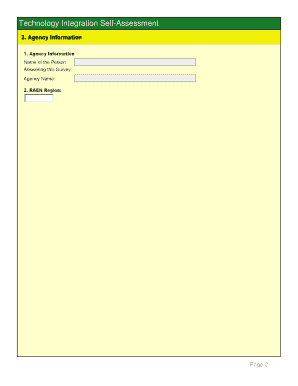
  2. Begin with the Agency Information section. Fill in the name of the person answering the survey, followed by the agency name and the RAEN region. This ensures your responses are accurately associated with your organization.
  3. In the Introduction section, review the purpose of the survey and familiarize yourself with the ranking scales that will guide your responses regarding your current technology skill level and the importance of technology for your teaching.
  4. Proceed to the Basic Computer Operation section. Evaluate your current skills and the importance of these skills for teaching. Rank your abilities in performing tasks such as file management and assisting students with basic operations.
  5. Continue to the Productivity Software section. Assess your familiarity with tools like Microsoft Word, Excel, and PowerPoint. Provide rankings based on your current skill level and the relevance of these tools in your teaching practices.
  6. Move on to the Assistive Technology section. Reflect on your ability to use tools that aid people with disabilities and rank your skill level and the importance of these technologies in your teaching.
  7. Follow through the Using the Internet section, where you will evaluate your internet usage for educational purposes. Assess both your skills and the importance of internet resources in your teaching.
  8. In the Virtual Communication and Collaboration section, rank your ability to use digital communication tools like email and blogs. Consider the significance of these tools for classroom interaction.
  9. Continue through each subsequent section: Instructional Software, Video Technologies, Evaluating and Incorporating New Technologies, Managing the Technology-Enhanced Classroom, Assessment, Professional Development, and Social, Legal and Health Issues. Each section requires you to evaluate distinct skills and their importance.
  10. Once you complete all sections and provide your rankings, review your responses for accuracy. After confirming that all fields are filled correctly, save changes, download, or print the completed form, or share it with colleagues or administrators for further action.

Complete your Technology Integration Self Assessment online to enhance your educational practices.

Get form

Experience a faster way to fill out and sign forms on the web. Access the most extensive library of templates available.
Get form

Related content

Non-EPE Providers - Due Dates 2017-18 | Adult...
07/01/17 NYSED Technology Summary that describes the technology ... Must complete online...
Learn more
data:image/png;base64 - The Beauty and Joy of...
... ,page,continue,black,study,issues,inside,technology,five,value,further,access...
Learn more

Related links form

NJ NJFC-ABD-AP 2018 PROTEST/APPEAL OF A (RE)DETERMINATION (ASSESSMENT) SD DSS-CC-950 2018 GA Dougherty County School System HRS-F014 2003

Questions & Answers

Get answers to your most pressing questions about US Legal Forms API.

Contact support

(1) For pupils in half-day kindergarten, a minimum of 450 instructional hours. (2) For pupils in full-day kindergarten and grades one through six, a minimum of 900 instructional hours. (3) For pupils in grades seven through twelve, a minimum of 990 instructional hours.

All students in grades 9–12 must have PE in high school. Students must have PE for at least 180 minutes per week for 7 semesters, or 90 minutes per week for 8 semesters. All high school students must earn the equivalent of 4 credits in PE in order to graduate.

Education Code Section 46112 – The minimum school day for grades 1 – 3 is 230 minutes. Education Code Section 46114 – Allows the use of ten day averaging in determining if a school meets the minimum day requirements. Education Code Section 46113 – The minimum school day for grades 4 – 8 is 240 minutes.

Commissioner's Regulation §175.5 requires 990/900 instructional hours. Districts that accurately report 180-days of session and have either provided 990/900 instruction hours OR secured a waiver from the instructional hour minimum penalty, will not be subject to a short session deduction.

Candidates in the MSED TESOL program who hold a NYS teaching certificate are asked to complete one semester observation (25 hours), one semester of fieldwork (25 hours), and 1 semester of student teaching either in the fall or spring semesters. The semester of student teaching requires a minimum of 100 hours.

High School Grades (9–12+) These exams may be used to meet NY State graduation requirements and to increase access to post-graduation options. Certain exams may also be used by colleges and universities in their admissions process and to award college course credit.

Get This Form Now!

Use professional pre-built templates to fill in and sign documents online faster. Get access to thousands of forms.
Get form
If you believe that this page should be taken down, please follow our DMCA take down processhere.

Industry-leading security and compliance

US Legal Forms protects your data by complying with industry-specific security standards.
  • In businnes since 1997
    25+ years providing professional legal documents.
  • Accredited business
    Guarantees that a business meets BBB accreditation standards in the US and Canada.
  • Secured by Braintree
    Validated Level 1 PCI DSS compliant payment gateway that accepts most major credit and debit card brands from across the globe.
Get Technology Integration Self Assessment TISA - Adult Career And - Acces Nysed
Get form
Form Packages
Adoption
Bankruptcy
Contractors
Divorce
Home Sales
Employment
Identity Theft
Incorporation
Landlord Tenant
Living Trust
Name Change
Personal Planning
Small Business
Wills & Estates
Packages A-Z
Form Categories
Affidavits
Bankruptcy
Bill of Sale
Corporate - LLC
Divorce
Employment
Identity Theft
Internet Technology
Landlord Tenant
Living Wills
Name Change
Power of Attorney
Real Estate
Small Estates
Wills
All Forms
Forms A-Z
Form Library
Customer Service
Terms of Service
Privacy Notice
Legal Hub
Content Takedown Policy
Bug Bounty Program
About Us
Help Portal
Legal Resources
Blog
Affiliates
Contact Us
Delete My Account
Site Map
Industries
Forms in Spanish
Localized Forms
State-specific Forms
Forms Kit
Legal Guides
Real Estate Handbook
All Guides
Prepared for You
Notarize
Incorporation services
Our Customers
For Consumers
For Small Business
For Attorneys
Our Sites
US Legal Forms
USLegal
FormsPass
pdfFiller
signNow
airSlate WorkFlow
DocHub
Instapage
Social Media
Call us now toll free:
+1 833 426 79 33
As seen in:
  • USA Today logo picture
  • CBC News logo picture
  • LA Times logo picture
  • The Washington Post logo picture
  • AP logo picture
  • Forbes logo picture
© Copyright 1997-2025
airSlate Legal Forms, Inc.
3720 Flowood Dr, Flowood, Mississippi 39232
Form Packages
Adoption
Bankruptcy
Contractors
Divorce
Home Sales
Employment
Identity Theft
Incorporation
Landlord Tenant
Living Trust
Name Change
Personal Planning
Small Business
Wills & Estates
Packages A-Z
Form Categories
Affidavits
Bankruptcy
Bill of Sale
Corporate - LLC
Divorce
Employment
Identity Theft
Internet Technology
Landlord Tenant
Living Wills
Name Change
Power of Attorney
Real Estate
Small Estates
Wills
All Forms
Forms A-Z
Form Library
Customer Service
Terms of Service
Privacy Notice
Legal Hub
Content Takedown Policy
Bug Bounty Program
About Us
Help Portal
Legal Resources
Blog
Affiliates
Contact Us
Delete My Account
Site Map
Industries
Forms in Spanish
Localized Forms
State-specific Forms
Forms Kit
Legal Guides
Real Estate Handbook
All Guides
Prepared for You
Notarize
Incorporation services
Our Customers
For Consumers
For Small Business
For Attorneys
Our Sites
US Legal Forms
USLegal
FormsPass
pdfFiller
signNow
airSlate WorkFlow
DocHub
Instapage
Social Media
Call us now toll free:
+1 833 426 79 33
As seen in:
  • USA Today logo picture
  • CBC News logo picture
  • LA Times logo picture
  • The Washington Post logo picture
  • AP logo picture
  • Forbes logo picture
© Copyright 1997-2025
airSlate Legal Forms, Inc.
3720 Flowood Dr, Flowood, Mississippi 39232