Loading
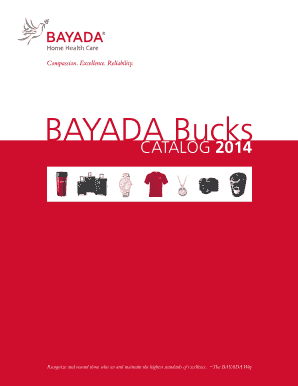
Get Bayada Bucks
How it works
-

Open form follow the instructions
-

Easily sign the form with your finger
-

Send filled & signed form or save
How to fill out the BAYADA Bucks online
This guide provides clear and user-friendly instructions on how to fill out the BAYADA Bucks redemption form online. Whether you are familiar with document management or new to the process, this step-by-step guide will ensure you complete the form accurately and efficiently.
Follow the steps to successfully complete the BAYADA Bucks form.
- Press the 'Get Form' button to access the BAYADA Bucks redemption form and open it in your preferred editor.
- In the 'Date' field, enter the current date when you are filling out the form.
- Fill in the 'Office name' with the name of your respective office.
- In the 'Office abbrev' field, provide the abbreviation of your office for identification.
- Add your 'Office number' in the designated field to link the form to your specific location.
- Provide the name of the 'Ordered by' office staff member who is processing the redemption.
- In the 'Office staff email address' section, enter the email of the staff member for communication purposes.
- Fill in the name of the employee on whose behalf the order is being made in the 'On behalf of' field.
- List the name of the item you are ordering in the 'Item name' field.
- If applicable, specify the 'Size' and 'Color' preferences for the item ordered.
- Provide the 'Quantity' of the item you wish to redeem.
- Indicate the 'Amount of BAYADA Bucks' you are using for the redemption.
- In the 'Charge redemption to' field, denotate how the charge will be covered.
- Complete the 'Ship to address' section with the delivery details for the item.
- If there are any specific instructions for the order, include them in the 'Special order instructions' field.
- Once all information is complete, ensure to save your changes, and then email the form to the Procurement office at prooffice@bayada.com.
Start your BAYADA Bucks redemption process online today!
Related links form
Use the direct link or scan the QR code below to brose the digital, mobile-friendly BAYADA Bucks Catalog and see the variety of items available in exchange for earned BAYADA Bucks. Complete the order form (Page 2) and send it to your BAYADA office. All orders must be placed through a BAYADA office.
Industry-leading security and compliance
US Legal Forms protects your data by complying with industry-specific security standards.
-
In businnes since 199725+ years providing professional legal documents.
-
Accredited businessGuarantees that a business meets BBB accreditation standards in the US and Canada.
-
Secured by BraintreeValidated Level 1 PCI DSS compliant payment gateway that accepts most major credit and debit card brands from across the globe.