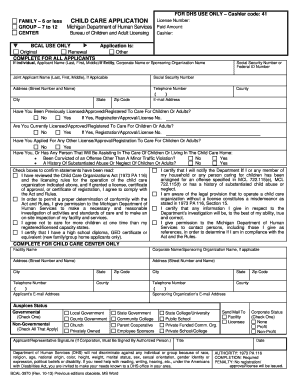
Get Df-dg Printable Renewal Application Rev 715 - Michigan
How it works
-

Open form follow the instructions
-

Easily sign the form with your finger
-

Send filled & signed form or save
How to fill out the DF-DG Printable Renewal Application Rev 715 - Michigan online
This guide provides clear and detailed instructions on completing the DF-DG Printable Renewal Application Rev 715 for Michigan. Whether you are renewing your Certificate of Registration for family or group child care, follow these steps to ensure a smooth application process.
Follow the steps to successfully complete the renewal application.
- Press the ‘Get Form’ button to access the DF-DG Printable Renewal Application and open it in your preferred editor.
- Begin by filling in the applicant's name in the designated fields. Use your full legal name as it appears on identification documents.
- Provide the relevant personal details such as your Social Security Number, address, telephone number, and email address in the appropriate sections.
- Indicate whether you have been previously licensed or registered to care for children or adults by selecting 'Yes' or 'No'. Include any relevant registration or license numbers if applicable.
- Answer the questions regarding any convictions or substantiated abuse history, checking the appropriate boxes.
- Complete the 'Facility Information' section if you are applying for a child care center. Include details on the facility name and address.
- Review the training records section. Ensure that you document the required training hours for both yourself and your assistant caregivers, listing any completed courses.
- Confirm compliance with safety regulations, including smoke detectors and carbon monoxide detectors, by signing the checklist.
- Once all sections are completed, review the application for accuracy. Make any necessary corrections before finalizing.
- Save your changes, then download, print, or share the completed application as needed. Ensure you send it to the Michigan Department of Health and Human Services at the address provided.
Start filling out your renewal application online today to ensure your registration remains active.
0:30 2:00 Excel Lock Cells and Protect Formula (but allow data entry) - YouTube YouTube Start of suggested clip End of suggested clip Then we click on ok and go to the file tab. And here in the info. Section we click on protectMoreThen we click on ok and go to the file tab. And here in the info. Section we click on protect workbook. And then on protect current sheet. Now we can enter a password.