Loading
Get Isbe 68 75 Form
How it works
-

Open form follow the instructions
-

Easily sign the form with your finger
-

Send filled & signed form or save
How to fill out the Isbe 68 75 Form online
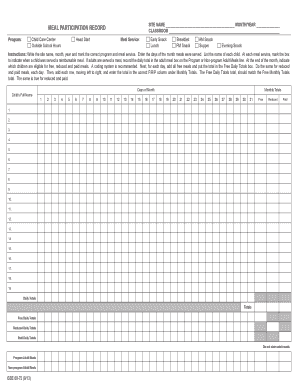
The Isbe 68 75 Form is essential for recording meal participation in child care programs. This guide provides clear instructions for efficiently completing the form online, ensuring that all necessary details are documented accurately.
Follow the steps to complete the Isbe 68 75 Form online
- Press the ‘Get Form’ button to access the form and open it in your document management system.
- Write the site name, month, and year at the top of the form in the designated fields.
- Choose the correct program by marking the appropriate box next to 'Child Care Center' or 'Outside School Hours'.
- Select the meal service type you are reporting, such as 'Head Start', 'Breakfast', 'Lunch', 'Snack', or 'Supper'.
- Enter the days of the month when meals were served in the corresponding columns.
- List the names of each child in the provided section, making sure to include all individuals eligible for meals.
- For each meal service, check the box to indicate if a child received a reimbursable meal.
- If adults are served meals, record the daily total in the adult meal sections marked as 'Program Adult Meals' or 'Non-program Adult Meals'.
- At the end of the month, indicate which children are eligible for free, reduced, and paid meals using a coding system.
- Calculate total free meals for each day and enter them in the 'Free Daily Totals' box. Repeat for reduced and paid meals.
- Sum each row from left to right and enter totals in the F/R/P column under 'Monthly Totals'.
- Ensure the total for Free Daily Totals matches the Free Monthly Totals, and do the same for reduced and paid meals.
- After completing all sections, save the document to your device for future updates or print it using the print option.
Start filling out the Isbe 68 75 Form online today!