Loading
Get Meritain Health Eft Enrollment
How it works
-

Open form follow the instructions
-

Easily sign the form with your finger
-

Send filled & signed form or save
How to fill out the Meritain Health Eft Enrollment online
Completing the Meritain Health EFT Enrollment form online is a straightforward process, designed to facilitate electronic fund transfers for healthcare payments. This guide provides clear instructions on how to accurately fill out each section of the enrollment form.
Follow the steps to successfully complete your EFT enrollment
- Click ‘Get Form’ button to access the enrollment form and open it in the editor.
- Review the entire form carefully. Ensure that you provide all requested information in each section.
- For sections requiring signatures, it is recommended to use blue ink for signing and avoid signature stamps.
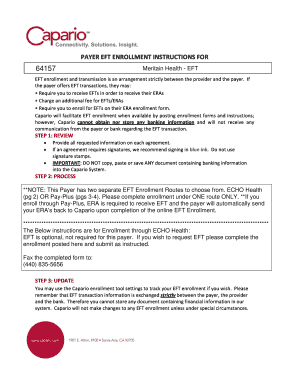
- Choose your EFT enrollment route: either ECHO Health or Pay-Plus. Complete the enrollment under ONE route only.
- If enrolling through ECHO Health, please note that EFT is optional. If you decide to proceed, complete the form and submit it via fax to (440) 835-5656.
- If opting for Pay-Plus, ensure that you also receive ERA as it is required to receive EFT. Complete the EFT enrollment form and add the ERA transaction to your Capario account.
- Fill in your banking information accurately, including bank name, address, Transit/ABA number, and Account number.
- After ensuring all information is correct, follow the provided instructions to save, download, print, or share the form as needed.
Begin your Meritain Health EFT Enrollment online now to streamline your healthcare payment process.
A group health plan may not require preauthorization or referral by the plan or any person, including a primary care physician. In the case of a female participant or beneficiary who seeks obstetrical or gynecological care provided by a participating provider who specializes in obstetrics or gynecology.