Loading
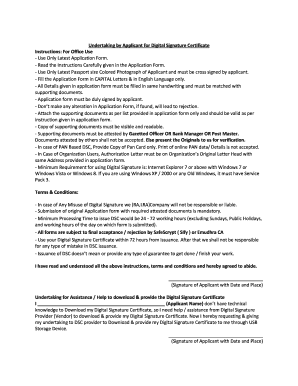
Get Sify Class 2 Form - Thakur Hardsoft Private Limited
How it works
-

Open form follow the instructions
-

Easily sign the form with your finger
-

Send filled & signed form or save
How to fill out the Sify Class 2 Form - Thakur Hardsoft Private Limited online
Filling out the Sify Class 2 Form for obtaining a digital signature certificate is essential for digital transactions, including e-filing income tax returns. This guide will assist you in completing the form accurately and efficiently.
Follow the steps to fill out the Sify Class 2 Form correctly.
- Click ‘Get Form’ button to obtain the form and open it in your preferred editor.
- Begin by filling in your personal details in Section 1. Ensure that you use capital letters and provide accurate information that matches your supporting documents. Required fields include your name, date of birth, gender, and address.
- In Section 2, provide your identity proof details. Select the type of proof you are submitting, such as a PAN card or passport, and enter the corresponding numbers. Make sure your signature appears on the identity proof.
- Proceed to Section 3. Here, declare that all the information provided is accurate. You must sign and date this section to confirm your acknowledgment.
- If applying as an organization, complete Section 4 with the declarant's acknowledgment and signature, along with the organization seal.
- Ensure that all supporting documents are legible and have been attested by an authorized person as specified in the instructions. This includes a valid address proof, and if applicable, an authorization letter.
- Once all sections are completed, review the form for any errors or omissions. Correct any necessary details before finalizing.
- After confirmation, save your changes, download the completed form, and prepare to print or share it as per your requirements.
Start completing your digital document management tasks online by filling out the Sify Class 2 Form today.
How to add a digital signature to a PDF document with Adobe Acrobat Open your document in Adobe Acrobat. Click the Tools tab and scroll down to the Forms and Certificates section. ... Click on Digitally Sign from the new options bar. Select the digital signature you want to use and click Continue.