Loading
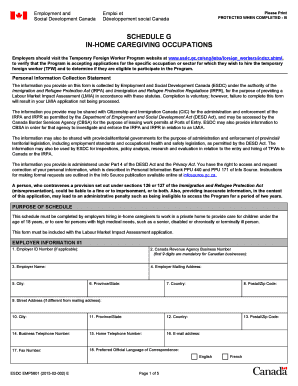
Get Schedule G In Home Caregiving Occupation
How it works
-

Open form follow the instructions
-

Easily sign the form with your finger
-

Send filled & signed form or save
How to fill out the Schedule G In Home Caregiving Occupation online
Filling out the Schedule G In Home Caregiving Occupation form is essential for employers hiring in-home caregivers. This guide provides clear, step-by-step instructions to help you complete the form accurately and efficiently.
Follow the steps to fill out the Schedule G form with ease.
- Click the ‘Get Form’ button to obtain the form and open it for editing.
- Begin with the employer information section. Enter the Employer ID Number if applicable, followed by the Canada Revenue Agency Business Number, which should include the first nine digits mandatory for Canadian businesses.
- Complete the employer’s name, mailing address, and all related fields including city, province/state, country, and postal/zip code.
- If applicable, fill in the second employer's information in the designated section. Include the same details as required in step 2 and 3.
- Indicate the number of dependents related to the employer. This includes all dependents, such as children or those attending school away from home.
- Provide the details about the type of care required. Fill in the name of the person receiving care, their relationship to the employer, and the nature of their needs in the appropriate fields.
- Next, proceed to calculate the employer's financial ability. Follow the prompts to enter the combined declared income, Low Income Cut-Off figure, and the total annual prevailing wage for the caregiver.
- If the caregiver will live and work in the same household, assess if accommodations will be provided. If yes, select the appropriate agreement type and complete the required sections.
- Fill out any necessary exemptions related to the refusal to process based on live-in caregiver positions, if applicable.
- Complete the rationale for possible exemption if live-in care is absolutely necessary, providing detailed explanations as requested.
- Finish with the declaration of employer section. Ensure all statements are checked to confirm compliance with the requirements.
- Finally, sign and date the form, ensuring the correct authority has signed. Include the second employer’s signature if applicable.
- Once completed, review the form for completeness before saving changes. You may then download, print, or share the completed form as necessary.
Complete your Schedule G In Home Caregiving Occupation form online today to ensure a smooth application process.
Families or individuals with a gross annual income of $150,000 or less, seeking to hire a foreign caregiver to provide childcare in their home to a child under 13 years of age, also qualify for the processing fee exemption.