Loading
Get Texas Terminal Operator Fillable Form
How it works
-

Open form follow the instructions
-

Easily sign the form with your finger
-

Send filled & signed form or save
How to fill out the Texas Terminal Operator Fillable Form online
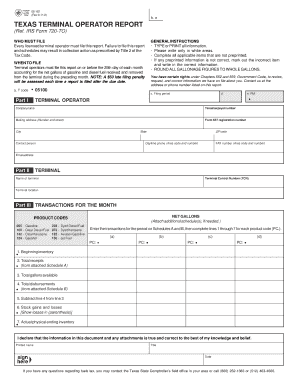
Filling out the Texas Terminal Operator Fillable Form is essential for licensed terminal operators to report their fuel transactions accurately. This guide provides clear and detailed instructions to help users complete the form effectively online.
Follow the steps to fill out the Texas Terminal Operator Fillable Form online.
- Click the ‘Get Form’ button to access the form and open it in your preferred online editor.
- Begin by entering your company name in the designated field for 'Terminal Operator'.
- Fill in your Texas taxpayer number, ensuring it matches the one issued to you.
- Complete the mailing address section, including the number and street, city, state, and ZIP code.
- Input your Form 637 registration number, contact person's name, daytime phone number, FAX number, and email address.
- Proceed to Part II by entering the terminal name and corresponding Terminal Control Number (TCN) as well as the terminal location.
- For Part III, record the net gallons for each product code by referring to the schedules A and B for accurate total receipts and disbursements.
- Complete the seven lines for each product code, rounding all gallonage figures to whole gallons as specified.
- At the conclusion of the form, provide your printed name, title, and date to certify the accuracy of the information provided.
- Once all sections are completed, you can save changes, download, print, or share the form for submission.
Start filling out the Texas Terminal Operator Fillable Form online today.
Natural Gas Vehicle (NGV) Rebates - Texas Gas Service The Texas Gas Service Conservation Program offers a rebate of up to $2,000 for the purchase of a qualified NGV or $3,000 for the conversion of a gasoline powered vehicle to operate on natural gas.