Loading
Get Location (legal Description
How it works
-

Open form follow the instructions
-

Easily sign the form with your finger
-

Send filled & signed form or save
How to fill out the Location (Legal Description) online
Filling out the Location (Legal Description) section of the Conservation Program Application is an important step in ensuring your application is processed correctly. This guide provides clear instructions on how to complete this section effectively, tailored for users with various levels of experience.
Follow the steps to successfully complete the Location (Legal Description) section.
- Click ‘Get Form’ button to obtain the form and open it in the editor.
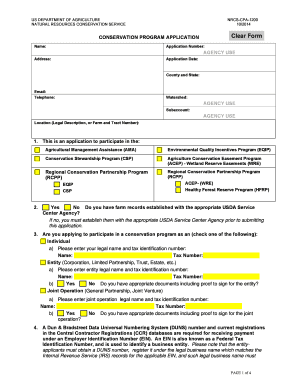
- Locate the section labeled 'Location (Legal Description, or Farm and Tract Number)'. Here, you will need to enter the specific legal description or identification of the property associated with your application.
- If applicable, indicate whether the land being applied for has been previously enrolled in any conservation program by checking the appropriate box under section 8.
- Complete any additional information required regarding the land type (private, public, tribal, etc.) in section 6.
- Ensure all relevant details regarding control and ownership of the land are fully and accurately described in section 7.
- Review all entered information for accuracy and completeness to avoid delays in processing your application.
- Upon completion, you can save your changes, download the form for your records, print it, or share it as needed.
Start filling out your Conservation Program Application online today to contribute to sustainability efforts.
A street address is not a legal description. Street addresses often change, and they were never intended to provide a reliable description for purposes of deed preparation. A street address is not sufficient to serve as an adequate legal description of the real estate.