Loading
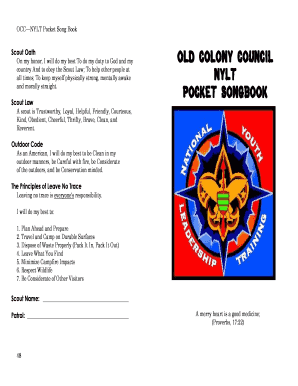
Get Nylt Songbook
How it works
-

Open form follow the instructions
-

Easily sign the form with your finger
-

Send filled & signed form or save
How to fill out the Nylt Songbook online
Filling out the Nylt Songbook online can enhance your experience by allowing you to easily personalize your contributions and access essential information. This guide provides clear instructions to help you complete the form accurately and efficiently.
Follow the steps to successfully fill out the Nylt Songbook online.
- Click the ‘Get Form’ button to obtain the Nylt Songbook and open it in the editing tool.
- Begin by entering your Scout name in the designated field. This personalizes the songbook and identifies your contributions.
- Next, locate the section for Patrol. Fill in the name of your patrol to ensure all members are recognized in the document.
- Review the content carefully, ensuring all song titles and lyrics are correctly included in the songbook. You may want to add notes or comments as needed.
- Once you have finished editing, save your changes. You may also have the option to download, print, or share the completed Nylt Songbook.
Start filling out the Nylt Songbook online today to create your personalized version!
In order to attend a NYLT course, a youth must have the following qualifications by the beginning of the course: Must be a registered member of a Scouting unit. Must have a current BSA Health and Medical Record form parts A, B, and C. Scouts BSA members must be at least 13.