Loading
Get Verification Worksheet Dependent 2015-16 Pdf - Financial Aid
How it works
-

Open form follow the instructions
-

Easily sign the form with your finger
-

Send filled & signed form or save
How to fill out the Verification Worksheet Dependent 2015-16 PDF - Financial Aid online
This guide provides clear, step-by-step instructions for completing the Verification Worksheet Dependent 2015-16 PDF, a crucial document for your financial aid process. Ensuring accurate information on this form will help expedite your aid verification and processing.
Follow the steps to fill out your verification worksheet online.
- Use the 'Get Form' button to access the Verification Worksheet Dependent 2015-16 PDF and open it in your preferred online editor.
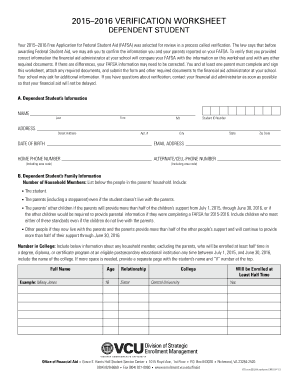
- Begin by filling out Section A, which requires the dependent student’s personal information. Enter your last name, first name, middle initial, student ID number, address, date of birth, email address, home phone number, and alternative/cell phone number.
- Next, move to Section B to provide your family information. Indicate the number of household members and list each person, including yourself, your parents, their other children, and any other individuals living with your parents who receive support from them. Include details about any household member enrolled in college during the specified academic year.
- Proceed to Section C if you and your spouse, if applicable, did not file a 2014 income tax return. Provide the necessary details regarding your employment status and income, including employer names and amounts earned, as well as copies of any IRS W-2 forms.
- In Section D, repeat the same process for each parent who did not file a 2014 income tax return, detailing their employment and income.
- In Section E, indicate whether anyone in your household received Supplemental Nutrition Assistance Program (SNAP) benefits during 2013 or 2014 by checking the appropriate box.
- Continue to Section F, where you will report any child support paid for individuals outside your household during 2014. Provide the necessary information about the payer and receiver of the child support.
- Section G requires you to detail any other untaxed income received during 2014 by you or your parents. Fill in the relevant amounts, including any untaxed income that does not fall under other categories.
- In Section H, complete the details for any child support received in 2014 for children in your household by entering the name of the person who received it, the name of the child, and the total amount.
- Finally, review Section I to certify the accuracy of the information provided. Both you and one parent must sign and date the form. Remember to make a copy for your records before submission.
- Save any changes you made, and then choose to download, print, or share the completed form as needed. Make sure to submit the worksheet and any required documentation to your school's financial aid administrator.
Complete the Verification Worksheet Dependent 2015-16 PDF online to ensure your financial aid process continues smoothly.
Related links form
Steps to take if you're selected for FAFSA verification Check your verification requirements. ... Complete the verification worksheet. ... Correct your FAFSA if needed. ... Submit your worksheet and any required forms. ... Follow up about your aid.