Loading
Get Pta 420 Anchor
How it works
-

Open form follow the instructions
-

Easily sign the form with your finger
-

Send filled & signed form or save
How to fill out the Pta 420 Anchor online
Filling out the Pta 420 Anchor form online is a straightforward process that allows users to efficiently manage their construction documentation. This guide provides detailed instructions to ensure you complete the form accurately and confidently.
Follow the steps to successfully fill out the Pta 420 Anchor form online.
- Press the ‘Get Form’ button to access the Pta 420 Anchor form and open it in your preferred editor.
- Begin by entering all necessary project details in the designated fields. This may include information such as project name, location, and relevant dates.
- Input the specifications for the PTA anchor you intend to use. Ensure you include the type of materials, dimensions, and any applicable standards.
- Fill in the section regarding the type of construction and ensure to indicate if the project involves steel or concrete.
- Once all information is entered, review the form to verify accuracy and completeness.
- Finally, save your changes and choose to download, print, or share the completed form as needed.
Start filling out the Pta 420 Anchor online today to streamline your documentation process.
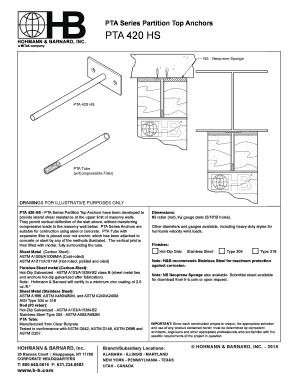
The PTA 420 Partition Top Anchor has been developed to provide lateral shear resistance at the upper limit of masonry walls. They permit vertical deflection of the slab above, without transferring compressive loads to the masonry wall below.