Loading
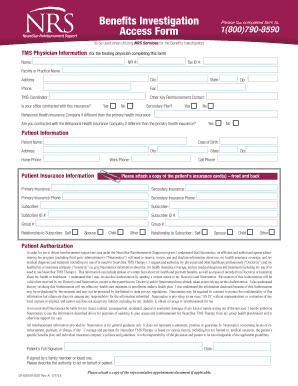
Get Benefits Investigation Access Form - Neurostar Tms Therapy
How it works
-

Open form follow the instructions
-

Easily sign the form with your finger
-

Send filled & signed form or save
How to fill out the Benefits Investigation Access Form - NeuroStar TMS Therapy online
The Benefits Investigation Access Form for NeuroStar TMS Therapy is an essential document that allows healthcare providers to secure necessary authorizations for treatment. This guide will assist you in completing the form accurately and efficiently when filling it out online.
Follow the steps to fill out the Benefits Investigation Access Form online.
- Press the ‘Get Form’ button to access the Benefits Investigation Access Form and open it in your preferred editor.
- Begin by entering the TMS physician information in the designated fields, which include the physician's name, National Provider Identifier (NPI) number, Tax Identification number (Tax ID), facility or practice name, address, city, phone, fax, TMS coordinator, and key reimbursement contact.
- Indicate whether your office has a contract with the patient’s primary insurance by selecting 'Yes' or 'No'. If applicable, also specify if there is a secondary plan.
- Next, fill in the patient's information including their name, date of birth, address, city, and contact numbers for home, work, and cell.
- Attach a copy of the patient's insurance card, including both the front and back, to the form. Input details for both primary and secondary insurance, including subscriber information, group numbers, and any relationship to the subscriber.
- Fill out the Patient Authorization section, which authorizes NeuroStar to obtain necessary reimbursement information and highlights the user's understanding of information use.
- Complete the Orders section by providing relevant CPT and ICD-9 codes along with the anticipated number of TMS sessions.
- Specify the site of service for treatment, notation of whether it will occur in a physician's office, hospital outpatient, or another location.
- In the Physician Certification section, confirm that the provided information is complete and accurate, then enter the physician's full signature and the date.
- Finally, after reviewing all entries for accuracy, save the form, and prepare to download, print, or share the completed document as necessary.
Start completing the Benefits Investigation Access Form online today!
Historically, TMS was initially so expensive for a number of reasons. First, the cost of the machine was so exorbitant that most doctors could not afford to treat people for cheaper. Secondly, the first devices available to the public would charge the doctors between $60 $100 per treatment.
Industry-leading security and compliance
US Legal Forms protects your data by complying with industry-specific security standards.
-
In businnes since 199725+ years providing professional legal documents.
-
Accredited businessGuarantees that a business meets BBB accreditation standards in the US and Canada.
-
Secured by BraintreeValidated Level 1 PCI DSS compliant payment gateway that accepts most major credit and debit card brands from across the globe.