Loading
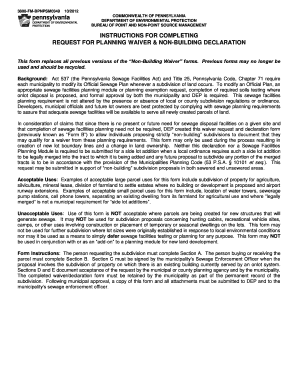
Get Non-building Waiver Declaration Form - Greene County - Co Greene Pa
How it works
-

Open form follow the instructions
-

Easily sign the form with your finger
-

Send filled & signed form or save
How to fill out the Non-Building Waiver Declaration Form - Greene County - Co Greene Pa online
This guide provides a clear and supportive approach to filling out the Non-Building Waiver Declaration Form for Greene County, Pennsylvania. By following the steps outlined below, you can navigate the online form efficiently and ensure that all required information is accurately submitted.
Follow the steps to complete your Non-Building Waiver Declaration Form.
- Click the ‘Get Form’ button to access the Non-Building Waiver Declaration Form. This action will allow you to open the form in the editor where you can begin filling it out.
- In Section A, the person requesting the subdivision must fill in their name, propose the subdivision of the specific lot(s), and indicate the location (Township/Borough and County). Ensure you select that no facility or building will be erected on the subdivided lot(s) that would generate sewage.
- Attach a written description of the subdivision and its intended use to Section A. Also, include a copy of the plot plan and deed if available, ensuring that it contains the necessary legal language as specified in the form.
- If you are the anticipated buyer or recipient of the non-building parcel, complete Section B with your intended use of the parcel, ensuring it aligns with the non-building criteria stated previously.
- In Section C, if there is an existing septic system on the lot, this section must be signed by the Sewage Enforcement Officer after they have conducted an inspection of the existing system.
- Section D requires the designated planning agency official to review the information submitted. They must sign this section to confirm that the proposed use is consistent with local zoning and land use policies.
- Finally, Section E must be completed and signed by the municipal secretary or chairperson to acknowledge acceptance of the non-building lot subdivision proposal. Once all sections are completed, ensure the municipality keeps a copy as part of its permanent record.
- After finishing the form, you can save any changes made, download a copy for your records, or print it directly from the editor.
Complete your Non-Building Waiver Declaration Form online today and ensure your subdivision proposal meets all necessary requirements.
Industry-leading security and compliance
US Legal Forms protects your data by complying with industry-specific security standards.
-
In businnes since 199725+ years providing professional legal documents.
-
Accredited businessGuarantees that a business meets BBB accreditation standards in the US and Canada.
-
Secured by BraintreeValidated Level 1 PCI DSS compliant payment gateway that accepts most major credit and debit card brands from across the globe.