Loading
Get Registration Form - Sponsors - Run2015 Philhealth Gov
How it works
-

Open form follow the instructions
-

Easily sign the form with your finger
-

Send filled & signed form or save
How to use or fill out the REGISTRATION FORM - Sponsors - Run2015 Philhealth Gov online
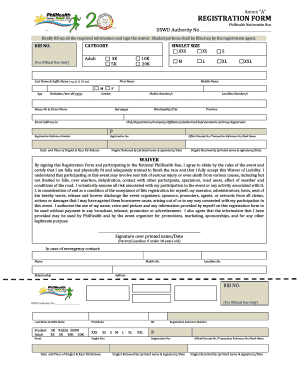
Filling out the registration form for the Run2015 Philhealth event is a straightforward process. This guide provides clear instructions to help you complete the form accurately and efficiently.
Follow the steps to fill out the registration form online.
- Press the ‘Get Form’ button to access the registration form and open it in your preferred editing tool.
- Begin with the 'BIB No.' field, which is for official use only and should be left blank.
- Select your category of participation—options include 3K, 5K, 10K, and 20K.
- Choose your desired singlet size from the available options: XXS, XS, S, M, L, XL, and XXL.
- Complete the personal information section by entering your last name, first name, middle name, age, and birthdate (formatted as mm-dd-yyyy).
- Indicate your gender by marking the appropriate option.
- Provide your mobile number and additional contact information, including landline number, email address, house number, street name, barangay, municipality/city, and province.
- Fill in the name of your club, organization, company, or affiliation if applicable.
- Include your registration reference number and the registration fee amount.
- Note the date and place where you will receive your singlet and race kit.
- Document your official receipt number, transaction reference number, and bank name.
- Sign the waiver section to confirm your agreement to the terms, including your signature over printed name and the date.
- If you are under 18 years old, ensure that a parent or guardian signs the form.
- Finally, provide emergency contact information, including the contact person's name, relationship to you, and their mobile and landline numbers.
- After completing the form, save your changes, and download, print, or share the form as required.
Complete your registration form online today to participate in the Run2015 Philhealth event!
Amending your data Download PhilHealth Member Registration Form or (PMRF) Tick FOR UPDATING on the upper right-hand corner of the PMRF. Fill out PMRF as appropriate. Submit properly filled out PMRF to the nearest PhilHealth Office. Await printout of updated Member Data Record.
Industry-leading security and compliance
US Legal Forms protects your data by complying with industry-specific security standards.
-
In businnes since 199725+ years providing professional legal documents.
-
Accredited businessGuarantees that a business meets BBB accreditation standards in the US and Canada.
-
Secured by BraintreeValidated Level 1 PCI DSS compliant payment gateway that accepts most major credit and debit card brands from across the globe.