Loading
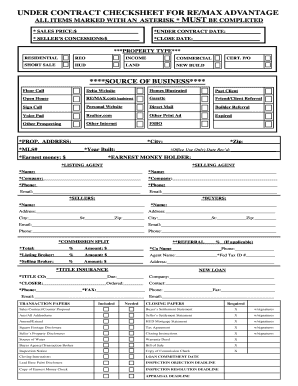
Get Under Contract Checksheet For Re/max Advantage
How it works
-

Open form follow the instructions
-

Easily sign the form with your finger
-

Send filled & signed form or save
How to fill out the UNDER CONTRACT CHECKSHEET FOR RE/MAX ADVANTAGE online
Filling out the Under Contract Checksheet for RE/MAX Advantage is a crucial step in the real estate transaction process. This guide provides clear and user-friendly instructions to help you accurately complete the necessary fields of the form online.
Follow the steps to complete the Under Contract Checksheet online.
- Press the ‘Get Form’ button to access the Under Contract Checksheet and open it in your browser for editing.
- In the first section, enter the sales price in the designated space, using numerical values only.
- Fill in the under contract date in the appropriate field, ensuring the date is formatted correctly.
- If applicable, complete the seller’s concessions section with the appropriate monetary amount.
- Indicate the close date by entering it in the provided field.
- Choose the property type from the options available, marking the relevant category.
- Identify the source of the business by selecting one or more options that apply to your situation.
- Provide the complete property address, including the city and zip code.
- Enter the MLS number and year built, noting that year built is for office use only.
- Document the earnest money amount in the corresponding area and specify the holder's name.
- Fill out the details of the listing and selling agents, including their names, companies, phone numbers, and emails.
- Complete the seller’s and buyer’s information, including names, addresses, emails, and phone numbers.
- If applicable, indicate the commission split and referral percentage, along with the total amounts.
- Complete the title insurance section by entering the title company's name and due date.
- Designate the closer's details, including their name and contact information.
- Specify whether transaction and closing papers are included, needed, or to be emailed.
- After filling in all required fields, review the form for accuracy before proceeding.
- Save your changes, then download, print, or share the completed form as necessary.
Complete your documents online today with confidence!