Loading
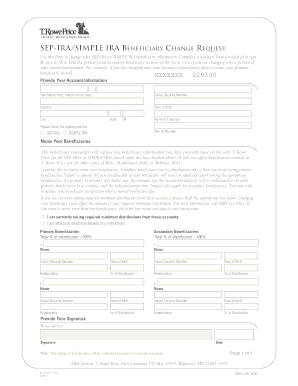
Get Sep-ira/simple Ira Beneficiary Change Request - T. Rowe Price
How it works
-

Open form follow the instructions
-

Easily sign the form with your finger
-

Send filled & signed form or save
How to fill out the SEP-IRA/SIMPLE IRA Beneficiary Change Request - T. Rowe Price online
Filling out the SEP-IRA/SIMPLE IRA Beneficiary Change Request form is essential for ensuring that your beneficiary information is current and accurate. This guide will walk you through each section of the form to help you complete it online smoothly.
Follow the steps to accurately complete your beneficiary change request.
- Click ‘Get Form’ button to obtain the form and open it in the designated editor.
- Provide your account information by entering your full name, Social Security number, address, date of birth, city, state, ZIP code, and the name of your employer. Ensure that all entries are accurate to avoid any processing delays.
- Indicate the type of plan by checking the appropriate box for either SEP-IRA or SIMPLE IRA.
- In the beneficiaries section, fill out both the primary and secondary beneficiary fields. Remember to restate the primary beneficiary even if you are only changing the secondary. Specify the relationship and percentage of distribution for each beneficiary, ensuring the total equals 100%.
- If applicable, check the box indicating if you are currently taking required minimum distributions. Be aware that changing beneficiaries might affect these distributions.
- If you are naming more than two beneficiaries, check the provided box and attach your additional instructions.
- Sign and date the form in the designated section to ensure it is valid.
- Review all information for accuracy before saving your changes. Once completed, you can download, print, or share the form as needed.
Complete your beneficiary change request online today to ensure your preferences are up to date.
Rowe Price must be notified when the minor reaches the age of majority. Account owners may remove or change a beneficiary at any time by submitting a Beneficiaries – Transfer on Death form signed by all owners. A beneficiary cannot change beneficiary designations.
Industry-leading security and compliance
US Legal Forms protects your data by complying with industry-specific security standards.
-
In businnes since 199725+ years providing professional legal documents.
-
Accredited businessGuarantees that a business meets BBB accreditation standards in the US and Canada.
-
Secured by BraintreeValidated Level 1 PCI DSS compliant payment gateway that accepts most major credit and debit card brands from across the globe.