Loading
Get Archdiocese Tuition Assistance Application - St. Elizabeth Parish ...
How it works
-

Open form follow the instructions
-

Easily sign the form with your finger
-

Send filled & signed form or save
How to fill out the ArchDiocese Tuition Assistance Application - St. Elizabeth Parish online
This guide provides comprehensive instructions on how to complete the ArchDiocese Tuition Assistance Application for St. Elizabeth Parish online. By following these steps, you can easily navigate the application process and ensure all necessary information is accurately submitted.
Follow the steps to successfully complete your application.
- Click the 'Get Form' button to obtain the application form and access it in the online editor. This will allow you to start filling out your application.
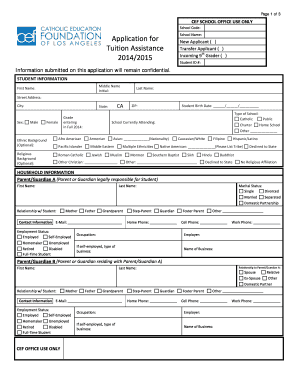
- Begin with the student information section. Enter the middle name, first name, last name, street address, city, state, ZIP code, and birth date of the student. Select the grade the student will be entering in Fall 2014 and indicate the type of school the student is currently attending.
- Provide the optional ethnic background and religious background of the student, selecting from the options provided or writing in other backgrounds if applicable.
- In the household information section, fill in details for Parent/Guardian A. Include their first name, last name, marital status, relationship to the student, and contact information. Indicate their employment status and occupation as well.
- Next, complete the information for Parent/Guardian B. Repeat the same type of information as you did for Parent/Guardian A, including their relationship to Parent/Guardian A and relevant employment details.
- Proceed to list the sources of income for both Parent/Guardian A and B, detailing all annual income sources from tax year 2012. Be sure to include all relevant dollar amounts in the appropriate fields.
- Provide supporting documents as outlined in the checklist. It is important to ensure you attach the necessary proof of income and any additional documentation required for verification.
- Review the application for accuracy. Make sure all fields are filled out and all necessary documents are attached. Check for completeness to avoid delays in processing.
- Once everything is properly filled out and reviewed, save your changes. You have the option to download or print the application if needed. Finally, share the completed form with the appropriate school administration by the designated deadline.
Get started on your application today and ensure you have all necessary documents prepared for submission.
Saint Elizabeth University utilizes the FAFSA (Free Application for Federal Student Aid) to determine a student's financial aid package based on the Expected Family Contribution (EFC). SEU school code is 002600.
Industry-leading security and compliance
US Legal Forms protects your data by complying with industry-specific security standards.
-
In businnes since 199725+ years providing professional legal documents.
-
Accredited businessGuarantees that a business meets BBB accreditation standards in the US and Canada.
-
Secured by BraintreeValidated Level 1 PCI DSS compliant payment gateway that accepts most major credit and debit card brands from across the globe.