Loading
Form preview
  • US Legal Forms
  • Form Library
  • More Forms
  • More Uncategorized Forms
  • Uromyrtus Australis

Get Uromyrtus Australis

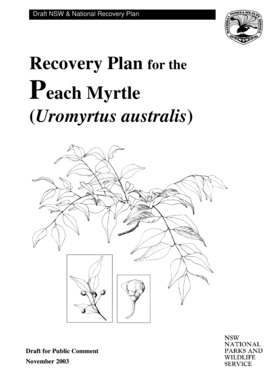
Draft NSW & National Recovery Plan Recovery Plan for the Peach Myrtle (Uromyrtus australis) Draft for Public Comment November 2003 NSW National Parks and Wildlife Service, 2003. This work is copyright.

How it works

  1. Open form

    Open form follow the instructions

  2. Easily sign form

    Easily sign the form with your finger

  3. Share form

    Send filled & signed form or save

How to fill out the Uromyrtus Australis online

This guide provides step-by-step instructions on how to effectively complete the Uromyrtus Australis form online. Whether you are a seasoned professional or new to the process, this guide aims to support your submission with clear and concise instructions.

Follow the steps to successfully complete the Uromyrtus Australis form.

  1. Click the ‘Get Form’ button to access the form and open it in your preferred online editor.
  2. Begin by filling in your personal details including your name, contact number, and address in the designated fields.
  3. In the section for submissions, clearly reference the specific parts of the draft Recovery Plan you wish to comment on or address.
  4. Provide a detailed explanation of your comments or feedback, including any supporting information or examples to enhance your submission.
  5. If you wish to keep your personal information confidential, check the appropriate option and note your request in the relevant section.
  6. Review all provided information for accuracy before finalizing your submission.
  7. Save your changes, and ensure to download or print a copy of your completed form for your records.
  8. Submit the completed form by sending it to the address provided, ensuring it is sent before the deadline specified for public comment.

Begin filling out your Uromyrtus Australis Recovery Plan submission today to make your voice heard!

Get form

Experience a faster way to fill out and sign forms on the web. Access the most extensive library of templates available.
Get form

Related content

Taxonomy browser (Australasian group) - NCBI - NIH
... Rhodomyrtus · Rhodomyrtus sp. NVN-2019 · Uromyrtus · Uromyrtus australis ·...
Learn more
Uromyrtus australis - NSW (environment.nsw.gov.au
Uromyrtus australis (Family Myrtaceae) is a shrub or small tree of warm temperate...
Learn more
Uromyrtus australis - Uromyrtus australis...
Uromyrtus australis , allmänt känd som persikamyrten , är ett litet träd som växer...
Learn more

Related links form

Mahatma Gandhi Yojana Form Annexure UOS-S1 Page 1 COMPOSITE APPLICATION FORM... - Iwrcuae Participant Waiver - Mudderella AAPD/DCU Membership Application - Digital Federal Credit Union - Dcu

Questions & Answers

Get answers to your most pressing questions about US Legal Forms API.

Contact support

ACH (Automated Clearing House) transfers are one of the most affordable ways to receive payments online. The fees involved are usually much lower than those charged by credit or debit card companies. This makes ACH transfers very popular in the world of ecommerce.

How to Add Payment Method on Website? Evaluate payment gateway services offered by your web host. ... Choose a Payment Gateway. ... Check and compare details of setup, transaction and other fees details. ... Add Payment Methods. ... Create a merchant account.

How to Set Up an In-House Online Payment Form If you're not an expert, get one. ... Set up a hosting platform. ... Register your site. ... Build the payment form. ... Find a processing solution with an applicable API. ... Integrate the processing platform with your payment form. ... Test and Launch. ... Make support easy to find.

A payment can be made in the form of cash, check, wire transfer, credit card, or debit card. More modern methods of payment types leverage the Internet and digital platforms.

Integrate a payment gateway to your website in 3 easy steps Step 1: Create your account on Instamojo. Step 2: Create a payment link and make a pay button. Step 3: Embed the pay button on your website.

How to create Google Forms with payment options Step 1: Create a new form. As you'd probably guess, go to Google Forms to get started. ... Step 2: Fill out your questions. ... Step 3: Include a question about payment. ... Step 4: Link to a payment service. ... Step 5: Finish your form and send it out.

Designing the Perfect Payment Form in 9 Steps Step 1: Keep Them on Your Site. ... Step 2: Offer Multiple Payment Methods. ... Step 3: Don't Require an Account. ... Step 4: Assure Customers Their Data Is Safe. ... Step 5: Ask Simple, Logical Questions. ... Step 6: Remove Unnecessary Fields. ... Step 7: Identify Customers' Errors.

How do I create a payment template? ​ Sign in to Online Banking from a desktop​ Go to Payments > Templates​ In the template section, select Add new template​ In the new template section, enter the template name, then select payment method – BPAY®, Funds Transfer or Pay Anyone/Funds Transfer.​

Get This Form Now!

Use professional pre-built templates to fill in and sign documents online faster. Get access to thousands of forms.
Get form
If you believe that this page should be taken down, please follow our DMCA take down processhere.

Industry-leading security and compliance

US Legal Forms protects your data by complying with industry-specific security standards.
  • In businnes since 1997
    25+ years providing professional legal documents.
  • Accredited business
    Guarantees that a business meets BBB accreditation standards in the US and Canada.
  • Secured by Braintree
    Validated Level 1 PCI DSS compliant payment gateway that accepts most major credit and debit card brands from across the globe.
Get Uromyrtus Australis
Get form
  • Adoption
  • Bankruptcy
  • Contractors
  • Divorce
  • Home Sales
  • Employment
  • Identity Theft
  • Incorporation
  • Landlord Tenant
  • Living Trust
  • Name Change
  • Personal Planning
  • Small Business
  • Wills & Estates
  • Packages A-Z
  • Affidavits
  • Bankruptcy
  • Bill of Sale
  • Corporate - LLC
  • Divorce
  • Employment
  • Identity Theft
  • Internet Technology
  • Landlord Tenant
  • Living Wills
  • Name Change
  • Power of Attorney
  • Real Estate
  • Small Estates
  • Wills
  • All Forms
  • Forms A-Z
  • Form Library
  • Legal Hub
  • About Us
  • Help Portal
  • Legal Resources
  • Blog
  • Affiliates
  • Contact Us
  • Delete My Account
  • Site Map
  • Industries
  • Forms in Spanish
  • Localized Forms
  • State-specific Forms
  • Forms Kit
  • Real Estate Handbook
  • All Guides
  • Notarize
  • Incorporation services
  • For Consumers
  • For Small Business
  • For Attorneys
  • USLegal
  • FormsPass
  • pdfFiller
  • signNow
  • altaFlow
  • DocHub
  • Instapage
Form Packages
  • Adoption
  • Bankruptcy
  • Contractors
  • Divorce
  • Home Sales
  • Employment
  • Identity Theft
  • Incorporation
  • Landlord Tenant
  • Living Trust
  • Name Change
  • Personal Planning
  • Small Business
  • Wills & Estates
  • Packages A-Z
Form Categories
  • Affidavits
  • Bankruptcy
  • Bill of Sale
  • Corporate - LLC
  • Divorce
  • Employment
  • Identity Theft
  • Internet Technology
  • Landlord Tenant
  • Living Wills
  • Name Change
  • Power of Attorney
  • Real Estate
  • Small Estates
  • Wills
  • All Forms
  • Forms A-Z
  • Form Library
Customer Service
  • Legal Hub
  • About Us
  • Help Portal
  • Legal Resources
  • Blog
  • Affiliates
  • Contact Us
  • Delete My Account
  • Site Map
  • Industries
  • Forms in Spanish
  • Localized Forms
  • State-specific Forms
  • Forms Kit
Legal Guides
  • Real Estate Handbook
  • All Guides
Prepared for you
  • Notarize
  • Incorporation services
Our Customers
  • For Consumers
  • For Small Business
  • For Attorneys
Our Sites
  • USLegal
  • FormsPass
  • pdfFiller
  • signNow
  • altaFlow
  • DocHub
  • Instapage
Social Media
Call us now toll free:
+1 833 426 79 33
As seen in:
© Copyright 1999-2026 airSlate Legal Forms, Inc. 3720 Flowood Dr, Flowood, Mississippi 39232
  • Your Privacy Choices
  • Terms of Service
  • Privacy Notice
  • Content Takedown Policy
  • Bug Bounty Program