Loading
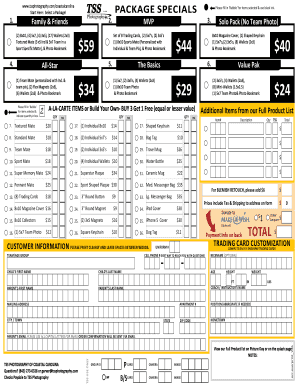
Get Tss Photography Order Form 2018
How it works
-

Open form follow the instructions
-

Easily sign the form with your finger
-

Send filled & signed form or save
How to fill out the Tss Photography Order Form 2018 online
Filling out the Tss Photography Order Form 2018 online can be a straightforward process when you have clear guidance. This guide provides step-by-step instructions to help you complete the form efficiently and accurately.
Follow the steps to complete the Tss Photography Order Form 2018 online.
- Click ‘Get Form’ button to obtain the form and open it in the editor.
- Begin by entering your customer information in the designated fields, carefully providing your first and last name, mailing address, city or town, state, and zip code. Ensure that you leave spaces between words and print clearly.
- Specify the team or age group in the appropriate section to align your order with the relevant category.
- Select the package you wish to order by filling in the corresponding bubbles for the desired items and indicating the quantity in the box provided. Review the options available in the 'A-la-Carte Items or Build Your Own' section if you prefer custom selections.
- If you are ordering trading cards, complete the 'Trading Card Customization' section by providing the nickname, child’s first name, last name, and age.
- Review all selections and calculations to ensure accuracy, particularly any options for blemish retouching or donations.
- Fill in the payment information as required, remembering to include total amounts based on your selections above.
- Finally, save your changes, and download or print the completed form for your records. You can also share the form as needed.
Complete your Tss Photography Order Form online today for a seamless experience.
To add a Bates Number: Select Edit > Insert > Bates Numbering and select Add from the drop-down list to open the Add Bates Numbers dialog box. Click Add Files. ... Click Output to display the Add Bates Numbers - Output Rules dialog box. ... Click OK in the Add Bates Numbers dialog box to call the Header and Footer dialog box.