Loading
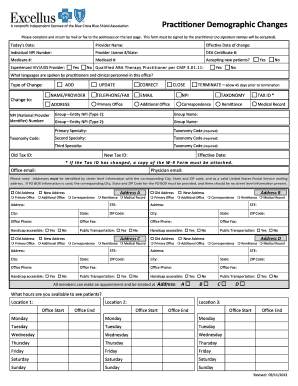
Get Practitioner Demographic Changes - Excellus Bluecross Blueshield
How it works
-

Open form follow the instructions
-

Easily sign the form with your finger
-

Send filled & signed form or save
How to fill out the Practitioner Demographic Changes - Excellus BlueCross BlueShield online
Filling out the Practitioner Demographic Changes form is essential for updating your information with Excellus BlueCross BlueShield. This guide will provide you with clear instructions on how to complete the form accurately and effectively online.
Follow the steps to complete the form correctly.
- Press the ‘Get Form’ button to access the form and open it in your preferred online document manager.
- Begin by entering today’s date in the designated field. This is important for tracking when the changes are submitted.
- Fill in your provider name in the next section, ensuring it matches the name registered with the organization.
- In the effective date of change field, input when the requested changes will take effect.
- Complete the sections for Individual NPI Number, Provider License #/State, DEA Certificate #, Medicare #, and Medicaid # as applicable.
- Indicate whether you are accepting new patients by selecting yes or no.
- If you are an experienced HIV/AIDS provider, mark yes. Next, list the languages spoken by providers and clinical personnel in your office.
- Choose the type of change you are reporting: update, correct, close, or terminate, and provide supporting details in the appropriate sections.
- For changes to your primary office or secondary offices, provide complete details of the new addresses, including City, State, and ZIP code, ensuring compliance with postal standards.
- If applicable, indicate whether the office locations are handicap accessible and have public transportation options.
- Include your office and physician emails in the designated fields.
- After completing all necessary fields, review the information for accuracy.
- Once satisfied, save your changes, download a copy of the form, and print it if necessary.
- Lastly, mail or fax the completed form to the appropriate address provided at the end of the document.
Start completing your Practitioner Demographic Changes form online now to ensure your information is updated.
Excellus BCBS main competitors are National Council On Compensation Insurance, Citizens Property Insurance, and Blue Shield of California.