Loading
Get Animalsponn
How it works
-

Open form follow the instructions
-

Easily sign the form with your finger
-

Send filled & signed form or save
How to fill out the Animalsponn online
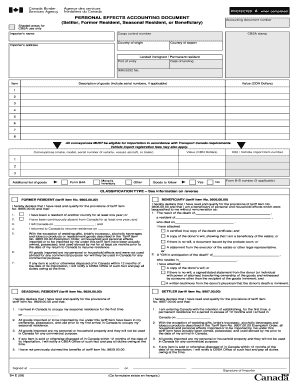
The Animalsponn is an essential accounting document designed for settlers, former residents, seasonal residents, or beneficiaries importing personal effects into Canada. This guide provides clear, comprehensive instructions for completing the form to ensure your submission is accurate and efficient.
Follow the steps to fill out the Animalsponn effectively.
- Press the ‘Get Form’ button to access the document in your preferred format and display it for editing.
- Begin by filling in your name as the importer, along with your address. Ensure the information aligns with your identification documents for verification.
- Provide the accounting document number if available; this may help track your submission.
- List your cargo control number in the designated field for record-keeping purposes.
- Indicate your country of origin and country of export in the respective sections. Accurate information is crucial for customs processing.
- Specify your port of entry and the date of landing in Canada to clarify your residency status.
- Fill in details about the personal effects you are importing. Include a description of each item, alongside its value in Canadian dollars. Mention serial numbers where applicable.
- If importing vehicles or trailers, ensure you enter the make, model, and serial number in the conveyances section, also providing the corresponding vehicle import form number.
- Review any exemptions or classifications that apply to your situation, such as former resident or settler status. Ensure all declarations are accurately completed.
- Sign and date the document at the bottom, confirming that you qualify for the provisions as stated. Attach any required documents, such as death certificates or legal wills, to support your claims.
- Once all fields are completed, save your changes to the form. You may choose to download, print for your records, or share it as necessary.
Complete the Animalsponn online today to manage your personal effects import seamlessly!
Checkbox in HTML is one of the attributes of the input tag.