Loading
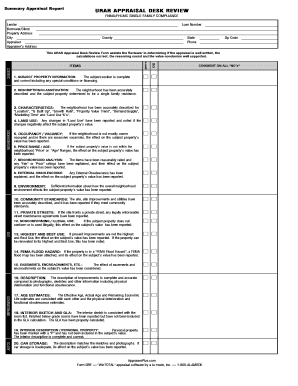
Get Urar Appraisal Desk Review Urar Appraisal Desk Review - Appraiser Plus
How it works
-

Open form follow the instructions
-

Easily sign the form with your finger
-

Send filled & signed form or save
How to fill out the Urar Appraisal Desk Review - Appraiser Plus online
The Urar Appraisal Desk Review is a crucial document for evaluating property appraisals. This guide provides clear, step-by-step instructions to help users efficiently complete the review form online.
Follow the steps to accurately complete the form.
- Press the ‘Get Form’ button to access the Urar Appraisal Desk Review form and open it in your preferred editor.
- Begin by entering the loan number and identifying details such as lender, borrower or client, and property address. Ensure that all fields are filled accurately.
- In the subject section, confirm that all information is complete and correct, including any special conditions or financing related to the property.
- Proceed to the neighborhood analysis. Describe the neighborhood accurately based on criteria like location, built-up percentage, growth rate, and property value trends.
- Evaluate the characteristics of the subject property. Report any relevant issues such as occupancy rates and assess how these may affect the property value.
- Address the site conditions. Ensure that any easements or encroachments impacting the value of the subject property are reported appropriately.
- Document the improvements made to the property. Confirm that descriptions align with the physical state and any records—like photographs and internal sketches.
- Complete the cost approach section. Calculate the reproduction cost, depreciation, and assess market conditions that could affect property value.
- Fill out the sales comparison section, ensuring that at least three comparable sales are listed. Justify any adjustments made to these sales.
- Finalize the review by confirming the reconciliation of estimates. Justify the appraised final value and ensure all necessary attachments are included.
- Once you have completed the form, save your changes. You can also choose to download, print, or share the completed document as needed.
Complete your Urar Appraisal Desk Review online today for a seamless appraisal process!
All appraisals must be completed on the Uniform Residential Appraisal Report (URAR) which is a common form required by the Department of Housing and Urban Development, the Department of Veterans Affairs, the Federal National Mortgage Association, the Federal Home Loan Mortgage Corporation and others.
Industry-leading security and compliance
US Legal Forms protects your data by complying with industry-specific security standards.
-
In businnes since 199725+ years providing professional legal documents.
-
Accredited businessGuarantees that a business meets BBB accreditation standards in the US and Canada.
-
Secured by BraintreeValidated Level 1 PCI DSS compliant payment gateway that accepts most major credit and debit card brands from across the globe.