Loading
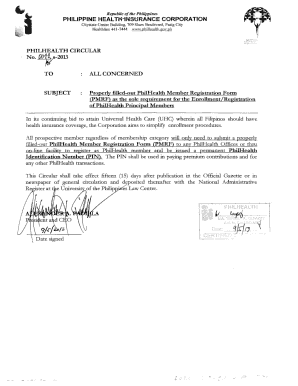
Get Properly Filled-out Philhealth Member Registration Form (pmrf) - Philhealth Gov
How it works
-

Open form follow the instructions
-

Easily sign the form with your finger
-

Send filled & signed form or save
How to fill out the Properly Filled-out PhilHealth Member Registration Form (PMRF) online
The Properly Filled-out PhilHealth Member Registration Form (PMRF) is essential for individuals seeking to enroll as PhilHealth members in the Philippines. Completing this form accurately is the first step towards obtaining your permanent PhilHealth Identification Number.
Follow the steps to successfully complete the registration form.
- Click the ‘Get Form’ button to access the form and open it in the designated editor.
- Begin by entering your personal information in the appropriate fields. This includes your full name, date of birth, gender, and address. Ensure all information is correct and matches any identification documents.
- Next, provide your contact details, including your phone number and email address. This information is essential for communication regarding your PhilHealth membership.
- In the section for membership category, choose the option that best describes your status, such as 'Employee,' 'Self-Employed,' or 'Overseas Filipino Worker.' Each category has specific requirements, so select carefully.
- If applicable, include information about your dependents. This section may require you to provide the names and relationships of individuals you wish to include in your coverage.
- Review all provided information for accuracy. Correct any mistakes to avoid issues with your enrollment.
- Once you are satisfied with the completed form, you can save the changes. You may choose to download, print, or share the completed form as required.
Start filling out the PMRF online today to secure your health coverage!
Related links form
Download PhilHealth Member Registration Form or (PMRF) Tick FOR UPDATING on the upper right-hand corner of the PMRF. Fill out PMRF as appropriate. Submit properly filled out PMRF to the nearest PhilHealth Office. Await printout of updated Member Data Record.
Industry-leading security and compliance
US Legal Forms protects your data by complying with industry-specific security standards.
-
In businnes since 199725+ years providing professional legal documents.
-
Accredited businessGuarantees that a business meets BBB accreditation standards in the US and Canada.
-
Secured by BraintreeValidated Level 1 PCI DSS compliant payment gateway that accepts most major credit and debit card brands from across the globe.