Loading
Get Student/parent Annual Compliance/commitment Form ...
How it works
-

Open form follow the instructions
-

Easily sign the form with your finger
-

Send filled & signed form or save
How to fill out the STUDENT/PARENT ANNUAL COMPLIANCE/COMMITMENT FORM online
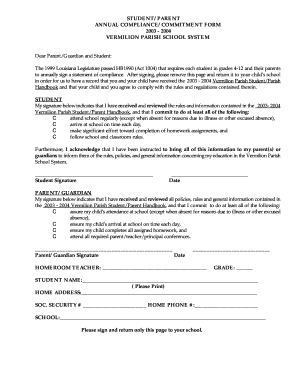
Completing the Student/Parent Annual Compliance/Commitment Form is essential for ensuring that both students and their parents are aware of and agree to the policies set forth by the Vermilion Parish School System. This guide provides clear, step-by-step instructions to assist users in filling out the form effectively and efficiently online.
Follow the steps to complete the form online:
- Click the ‘Get Form’ button to access the form and open it in your chosen document editor.
- Begin by filling in the student's name accurately in the designated field. It is important to print the name clearly.
- Next, provide the home address of the student in the specified section, ensuring all details are complete and up to date.
- Enter the student’s social security number and home phone number as requested on the form.
- Review the commitments required from both the student and the parent/guardian. Each party must read through the expectations outlined in the agreement.
- Once you have read and understood the commitments, proceed to sign the form in the appropriate signature lines for both the student and the parent/guardian.
- Finally, include the date next to each signature to indicate when the form was completed.
- After completing all sections, save the document. You may then choose to download, print, or share the filled-out form as required.
Complete your forms online today to ensure compliance with school policies.
No, throw away any leftover formula. Harmful bacteria can multiply since the last feeding, which could make your baby sick.