Loading
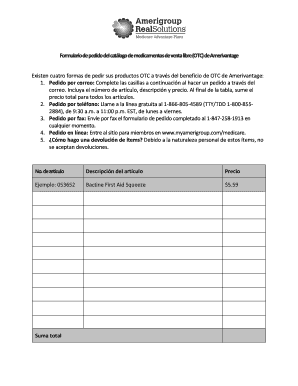
Get Amerigroup Otc Login
How it works
-

Open form follow the instructions
-

Easily sign the form with your finger
-

Send filled & signed form or save
How to fill out the Amerigroup Otc Login online
This guide provides a step-by-step approach to filling out the Amerigroup OTC Login form online. By following these instructions, users can efficiently complete their order for over-the-counter products through the Amerigroup benefits program.
Follow the steps to successfully fill out the Amerigroup OTC Login form.
- Click ‘Get Form’ button to obtain the form and open it in the editor.
- Begin by entering your Amerivantage member ID. Ensure that this number is noted clearly, as it’s crucial for processing your order.
- Input your birth date in the designated field. This information helps verify your identity and eligibility.
- Next, fill in your full name, ensuring it matches the name listed on your membership records.
- Provide your shipping address. It must correspond with the address registered with your membership to prevent order issues.
- List your desired OTC items by entering the item number, description, and price in the respective fields. Double-check these details for accuracy.
- Sum the total price of all listed items in the designated area to ensure your order is complete.
- After completing your order details, review all entered information for accuracy and completeness before proceeding.
- Finalize your form by saving the completed document. You may also choose to download, print, or share the form as needed.
Encourage others to fill out their documents online for a seamless experience.
In-store—Swipe your OTC card at participating retailers, including CVS, Dollar General, Family Dollar, Rite Aid, Stop & Shop, Walgreens, and Walmart. ... Online through Medline—To activate your online account, make sure you have your new OTC card and your member ID number from your CarePartners of Connecticut ID card.