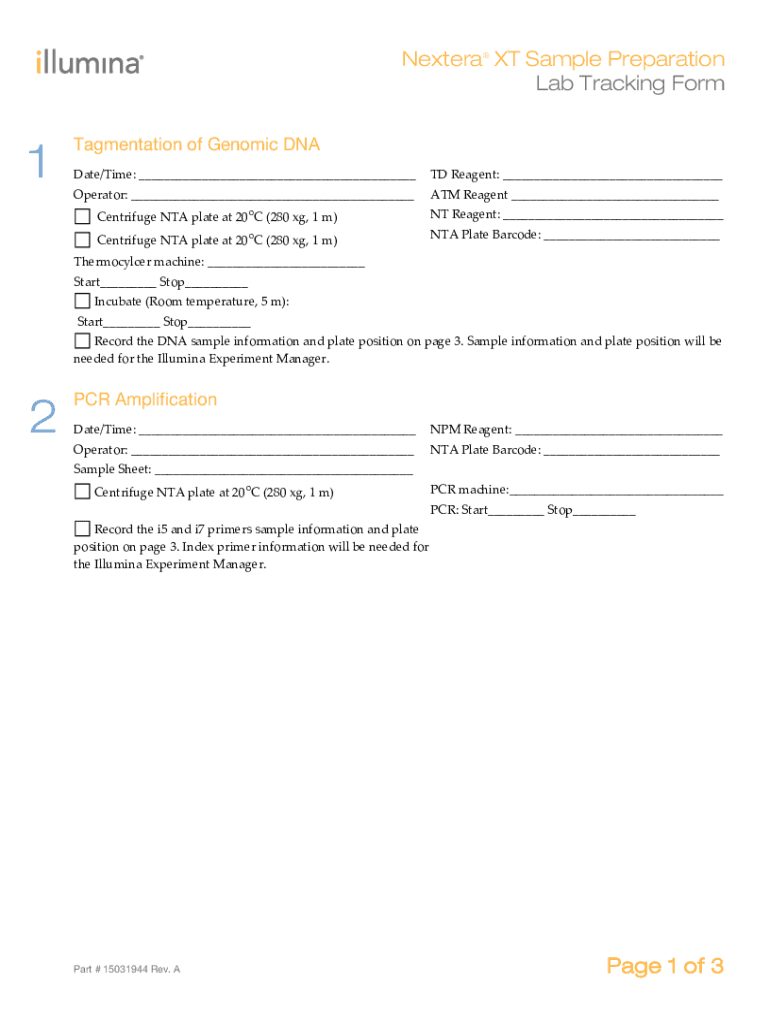
Nextera XT Sample Preparation Lab Tracking Form ? ? ? 1 Tagmentation of Genomic DNA Date/Time:? ? TD?Reagent:? Operator:? ? ATM?Reagent? ??Centrifuge?NTA?plate?at?20?C?(280?xg,?1?m)? NT?Reagent:?.

Open form follow the instructions

Easily sign the form with your finger

Send filled & signed form or save
How to fill out the Lab Tracking Form online
This guide provides a comprehensive overview of how to carefully complete the Lab Tracking Form online. By following these detailed instructions, users can ensure accurate documentation of their laboratory procedures.
Follow the steps to successfully complete the Lab Tracking Form.
- Press the ‘Get Form’ button to access the Lab Tracking Form and open it in your preferred online editor.
- Begin with the tagmentation section. Fill in the date and time of the procedure. Enter the TD reagent used, the operator's name, and the ATM reagent details before centrifuging the NTA plate according to the specified conditions.
- Continue to the PCR amplification section. Again, start by recording the date and time. Provide the NPM reagent used, operator's name, and the NTA plate barcode. Following this, complete the necessary centrifugation steps before documenting the PCR machine and the start and stop times for the PCR process.
- Next, move to the PCR clean-up section. Record the date and time, RSB plate used, and operator's details. Document the CAA plate and perform the appropriate centrifugation and incubation steps as indicated.
- Proceed to the library normalization section. Fill out the date, LNA1 and LNB1 reagents, operator details, and the necessary resuspension steps. Note the volumes of LNA1 and LNB1 used, and follow the provided shaking and waiting times.
- Finally, complete the library pooling and sequencing section. Record the date, HT1 reagent used, and operator's name. Document the MiSeq flowcell details, PAL and DAL barcodes, and complete the necessary centrifugation and temperature steps.
- After all sections are filled out, review the information for accuracy. You can then save changes, download, print, or share the completed Lab Tracking Form as needed.
Get started now by filling out the Lab Tracking Form online!
Experience a faster way to fill out and sign forms on the web. Access the most extensive library of templates available.
Related content
Tool: Specimen Tracking Log ... Details: This tracking log should provide a comprehensive...
Laboratory Close Out Tracking Form. All hazardous materials (biological, chemical, and...
Lab Tracking Form. Part # 1005198 Rev. B Page 1 of 5. Flow cell _____________. Run folder...
Use professional pre-built templates to fill in and sign documents online faster. Get access to thousands of forms.
If you believe that this page should be taken down, please follow our DMCA take down process here.