Loading
Get Armypubs
How it works
-

Open form follow the instructions
-

Easily sign the form with your finger
-

Send filled & signed form or save
How to fill out the Armypubs Telework Agreement online
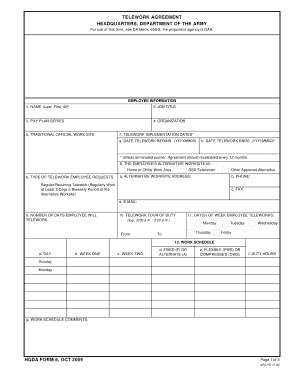
Completing the Telework Agreement online is a straightforward process that ensures your participation in the HQDA Telework Program. This guide provides detailed instructions to assist users in filling out the form accurately and efficiently.
Follow the steps to complete the Telework Agreement online.
- Click ‘Get Form’ button to obtain the Telework Agreement form and open it in the editor.
- Fill in the employee information section, including your name, job title, pay plan/series, organization, and traditional official work site.
- Specify the telework implementation dates by entering the start and end dates in the format YYYYMMDD.
- Indicate the type of telework you are requesting and provide the alternative worksite address, phone number, fax number, and email.
- Enter the number of days you will telework and outline your telework tour of duty schedule, including specific times and days of the week.
- Complete the work schedule section by filling in the required fields for day, week one, week two, and the type of schedule (fixed, alternate, flexible, or compressed).
- Assess your alternative worksite using the safety checklist to confirm the environment and conditions meet the necessary standards.
- Detail any technology or equipment requirements for your alternative worksite, specifying ownership and connectivity needs.
- Provide the IMO certification by having the responsible individual sign and date the form.
- Sign and date the employee certification section to confirm your understanding and agreement to the telework policies and procedures.
- Have your supervisor sign and date the certification section regarding your participation in telework.
- Finally, the approval authority will sign and date the form, indicating the decision to approve or disapprove telework.
- Once completed, save your changes, download the document, print it for your records, or share it with the relevant departments.
Complete your Telework Agreement online to ensure your participation in the program.
Immediate Notice A landlord can give notice to end a tenancy immediately if a tenant is 15 days or more late with the rent. If the tenant is responsible for paying the utilities and they are late, the landlord can also end the tenancy with this notice.