Loading
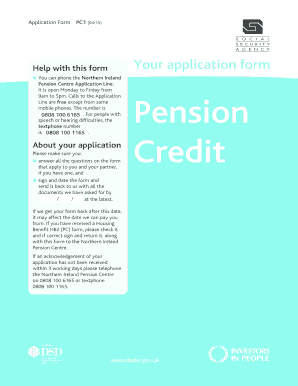
Get Pc1 Form
How it works
-

Open form follow the instructions
-

Easily sign the form with your finger
-

Send filled & signed form or save
How to fill out the Pc1 Form online
Filling out the Pc1 Form online can be a straightforward process when you have clear instructions. This guide is designed to help users complete the form accurately and efficiently, ensuring that all necessary information is provided for your application.
Follow the steps to successfully complete the Pc1 Form online.
- Click the ‘Get Form’ button to obtain the form and open it in your editing interface.
- Begin by providing your personal information in Part 1. This includes your full name, any other names you may have used, your date of birth, National Insurance number, and contact details. Ensure accuracy as this information is essential for your application.
- Continue to Part 2 to fill out your partner's information, if applicable. Include similar details as provided in Part 1, making sure to specify any changes in relationship status and acknowledgment of the application by your partner.
- In Part 3, provide details about your living situation. Indicate whether you live with relatives, share housing costs, or if you are renting or owning your home. This information helps in assessing your claim.
- In Part 4, disclose information regarding your finances, including savings and investments. This section is crucial to determine your eligibility for Pension Credit.
- For Part 5, indicate any benefits you or your partner may be claiming. It’s important to list all relevant benefits as this can affect your application.
- Proceed to Part 6, where you will provide details about pensions. Make sure to include all pension types and expected payment dates, as this information is necessary for your claim.
- Navigate to Part 10 to specify the date you wish your application to be effective from. Confirm whether your circumstances have remained unchanged since that date.
- In Part 13, ensure all information is correct, and declare your understanding of the responsibilities associated with the provided information. Sign the declaration to validate your application.
- Finally, save your changes. You can download the filled form, print it for your records, or share it as needed, ensuring all required documents are included prior to submission.
Start filling out your Pc1 Form online today to ensure smooth processing of your application.
The registrar's office hours are 8 a.m. to 5 p.m., Monday through Friday.