Loading
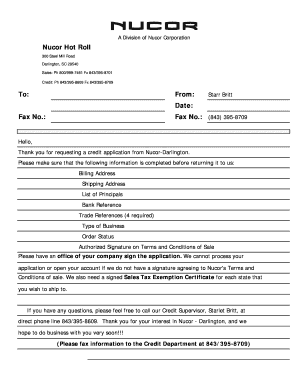
Get Nucor - Credit Application Page 1. Iso 14001
How it works
-

Open form follow the instructions
-

Easily sign the form with your finger
-

Send filled & signed form or save
How to fill out the Nucor - Credit Application Page 1. ISO 14001 online
Filling out the Nucor - Credit Application Page 1. ISO 14001 is essential for establishing a credit relationship with Nucor. This guide will provide you with step-by-step instructions to complete the form accurately.
Follow the steps to complete your Nucor credit application form online.
- Press the ‘Get Form’ button to retrieve the Nucor credit application form and access it in your selected editor.
- Begin by entering your billing location details. This includes the name, address, city/state, and zip code. It is essential to provide accurate information for processing.
- Next, input your shipping location information, following the same format as the billing section.
- Under 'Accounts Payable Contact,' fill in the contact person's name, phone, and fax number for billing inquiries.
- In the 'Purchasing Contact' section, provide the name, phone, and fax number of the individual responsible for making purchases.
- List the principals of your company in the designated section, including their names and Social Security numbers.
- Provide banking references, including the name, address, contact person's phone and fax number, and account details. Be specific about the account types.
- Include details for four trade references. Enter the names, addresses, and contact details for each, ensuring they are current and accurate.
- Indicate your type of business and specify if you have any pending orders. This helps Nucor understand your needs better.
- Sign the application to agree to Nucor's Terms and Conditions of Sale. This signature is necessary for the application to be processed.
- Once all fields are completed, save your changes, and you have the option to download, print, or share the completed form for submission.
Complete your Nucor credit application online to start your journey with us.
Once the watermark is applied, the final stage is to secure it. This vital step prevents other users from removing the watermark from the PDF. In Adobe Acrobat, this can be accomplished by encrypting the PDF and restricting editing privileges.
Industry-leading security and compliance
US Legal Forms protects your data by complying with industry-specific security standards.
-
In businnes since 199725+ years providing professional legal documents.
-
Accredited businessGuarantees that a business meets BBB accreditation standards in the US and Canada.
-
Secured by BraintreeValidated Level 1 PCI DSS compliant payment gateway that accepts most major credit and debit card brands from across the globe.