Loading
Get Claim Distribution Request - Western National
How it works
-

Open form follow the instructions
-

Easily sign the form with your finger
-

Send filled & signed form or save
How to fill out the Claim Distribution Request - Western National online
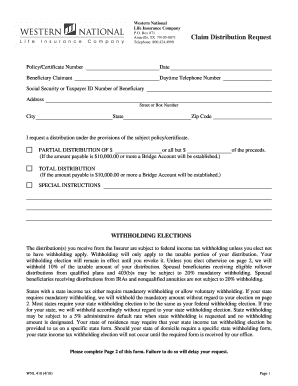
Completing the Claim Distribution Request for Western National is a straightforward process that ensures a smooth distribution of benefits. This guide provides clear, step-by-step instructions to assist you in filling out the required information accurately and efficiently.
Follow the steps to complete the Claim Distribution Request online.
- Press the ‘Get Form’ button to access the Claim Distribution Request and open it in your preferred online document editor.
- Fill in the policy or certificate number in the designated field. This information is essential for identifying the claim associated with your request.
- Enter the current date in the format requested on the form. This date is important for processing your claim.
- Provide the name of the beneficiary claimant, ensuring it matches the official documentation related to the policy.
- Input your daytime telephone number in the specified field. Make sure the number is accurate to facilitate communication regarding your claim.
- Enter the Social Security number or Taxpayer ID number of the beneficiary as required to verify identity and process the claim correctly.
- Complete the address section with the street or box number, city, state, and zip code of the beneficiary. Accurate address details are vital for receiving any communications or benefits.
- Indicate whether you are requesting a partial distribution or total distribution of benefits. If requesting a partial distribution, fill in the specified dollar amount.
- Make your withholding elections by selecting whether or not you wish to have federal and state taxes withheld from your distribution. Specify amounts if applicable.
- Read and acknowledge the important disclosures regarding tax withholding and the potential obligations related to estimated tax payments.
- Sign and date the form in the designated signature fields as the beneficiary. If applicable, include the signature of the trustee or executor.
- Complete the notarization section, ensuring it is filled out correctly, as this is a requirement for the form.
- Finally, review all the information provided for accuracy before saving, downloading, printing, or sharing the completed form.
Take the next step and complete your documents online to ensure a timely processing of your claim.
There are several ways to report a claim to Western National, including through our website, by fax, or by contacting your Independent Insurance Agent. However, the fastest way to report a claim for any of your policies is to call (855) 921-3164.