Loading
Get Fire Department Pre Plan Template
How it works
-

Open form follow the instructions
-

Easily sign the form with your finger
-

Send filled & signed form or save
How to fill out the Fire Department Pre Plan Template online
Completing the Fire Department Pre Plan Template online is an essential step for ensuring the safety of your business and compliance with fire safety regulations. This guide will provide you with clear and supportive instructions to help you fill out the form effectively.
Follow the steps to successfully complete the Fire Department Pre Plan Template.
- Click ‘Get Form’ button to obtain the form and open it in the editor.
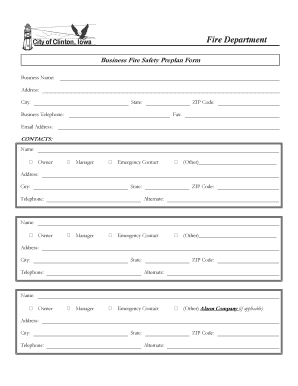
- Begin by entering the business name, address, city, state, and ZIP code in the designated fields. Ensure that all information is accurate and up to date.
- Input the business telephone number, fax number, and email address in the appropriate fields.
- Under the 'Contacts' section, fill in the name and roles for the owner, manager, emergency contact, or any other relevant individuals. Include their addresses, cities, state, and telephone numbers. Make sure to provide an alternate contact number where applicable.
- For the 'Building' section, provide the overall dimensions of the building, rounding to the nearest foot. Specify the length and width, followed by the number of floors above and below grade.
- Indicate the status of various fire protection systems by checking the appropriate boxes. List the last inspection dates where relevant, ensuring to include details about fire alarm systems, sprinkler systems, and portable fire extinguishers.
- Fill out the building status by selecting one of the given options, such as 'Under Construction' or 'Vacant and Secured.' Ensure to note any hazards or special problems in the provided section.
- Provide information on the type of business, its current operational state, and any changes in location or modifications in the last year.
- Conclude by entering the name and signature of the responsible person, along with the date of completion. Make sure to review all entries for accuracy.
- Once all sections are completed, you have the option to save the changes, download the document, print a copy for your records, or share it as needed.
Complete your Fire Department Pre Plan Template online today to ensure your business is prepared for any fire safety challenges.
A pre-fire plan provides emergency services with information about your property so a more efficient and effective operation can be conducted, meaning less damage to your property and a better chance of a successful rescue. This document captures building characteristics, occupancy, protective features and hazards.