Loading
Get Imm5564
How it works
-

Open form follow the instructions
-

Easily sign the form with your finger
-

Send filled & signed form or save
How to use or fill out the Imm5564 online
The Imm5564 form is essential for individuals seeking eligibility for the Interim Federal Health Program. This guide provides clear, step-by-step instructions to assist users in completing the form online with confidence.
Follow the steps to complete the Imm5564 form online.
- Press the ‘Get Form’ button to access the Imm5564 form and open it in your chosen editor.
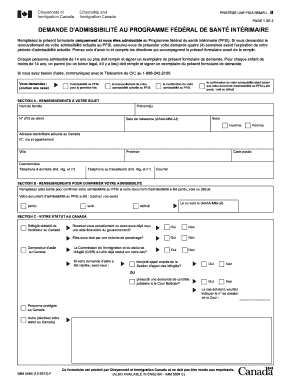
- Begin by indicating the purpose of your application by checking the appropriate box. You can choose from first-time eligibility, renewal, modification, or confirmation due to a lost, stolen, or destroyed eligibility document.
- In section A, fill in your personal information, including your last name, first names, client ID number, gender, and date of birth. Ensure your current residential address in Canada is accurate along with your home and work contact details.
- Move to section B if you need to confirm your eligibility due to a lost, stolen, or destroyed document. Check the relevant box to indicate the status of your document.
- In section C, provide information regarding your status in Canada. Answer whether you are a resettled refugee, asylum seeker, or another status, and respond to questions about financial assistance and sponsorship agreements.
- Proceed to section D, where you will answer additional questions regarding your previous eligibility for provincial health insurance, previous applications for provincial health insurance, possession of a provincial health care card, and any private health insurance coverage.
- Finally, in section E, review your declarations, sign the form indicating your role as the applicant, parent, or guardian, and date it. Ensure that you attach all required documentation as indicated in the instruction guide.
- Once completed, you can save your changes, download the form, print it, or share it as needed for submission.
Ensure you complete your documents online to achieve a smooth submission process.
An eps file is the gold standard for your logo files. It is a vector-based image, when exported from Adobe Illustrator, and is meant for print usage. This means an eps file can be sized up or down without deteriorating the image quality.