Loading
Get Fnma Form 3501
How it works
-

Open form follow the instructions
-

Easily sign the form with your finger
-

Send filled & signed form or save
How to fill out the Fnma Form 3501 online
This guide provides comprehensive instructions on how to correctly fill out the Fnma Form 3501 online. Whether you are unfamiliar with the form or simply seeking to ensure accuracy, this step-by-step approach will assist you in completing the form effectively.
Follow the steps to fill out the Fnma Form 3501 online
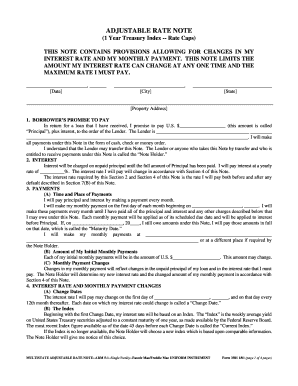
- Click ‘Get Form’ button to obtain the form and open it in the editor.
- Enter the date in the designated field at the top of the form, followed by your city and state.
- Provide the full property address in the specified section, ensuring all components are accurately filled in.
- In the Borrower’s promise to pay section, fill in the principal amount you have received.
- Identify your lender by entering their full name and address as required.
- Input the yearly interest rate you will be paying in the corresponding field.
- Specify the date you will commence making monthly payments and the place where these payments will be made.
- State the initial amount of your monthly payments, acknowledging that this may change.
- Follow any specific instructions regarding interest rate changes, including calculation methods and limits outlined in the form.
- Review all fields for accuracy. Save your changes and select the option to download, print, or share the completed form.
Complete your documents online efficiently and ensure every detail is accurate.