Loading
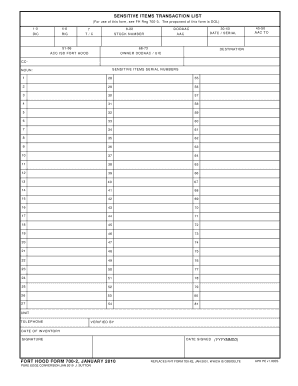
Get Fort Hood Form 700 2
How it works
-

Open form follow the instructions
-

Easily sign the form with your finger
-

Send filled & signed form or save
How to fill out the Fort Hood Form 700 2 online
Filling out the Fort Hood Form 700 2 is an essential process for documenting sensitive items transactions. This guide will provide you with clear, step-by-step instructions to help you accurately complete the form online.
Follow the steps to fill out the Fort Hood Form 700 2 effectively.
- Click ‘Get Form’ button to access the form and launch it in your browser.
- Begin by entering the DODAAC (Department of Defense Activity Address Code) in the corresponding field. This identifies your unit or organization.
- Next, fill in the stock number for each sensitive item you are documenting. This number helps track the item within inventory systems.
- In the sections labeled for serial numbers, record the serial numbers for each sensitive item associated with your unit, ensuring accuracy for proper tracking.
- Provide the date of inventory in the specified format (YYYYMMDD) to indicate when the items were last verified.
- Complete the fields for the unit telephone number and the name of the person verifying the information to ensure accountability.
- Once all fields are complete, make sure to review your entries for accuracy.
- Finally, save your changes, and if needed, download, print, or share the form as required.
Take the next step in managing your documentation by completing the Fort Hood Form 700 2 online.
View certificate details Open the file that contains the certificate you want to view. Click File > Info > View Signatures. In the list, on a signature name, click the down-arrow, and then click Signature Details. In the Signature Details dialog box, click View.