Loading
Get Vecollect
How it works
-

Open form follow the instructions
-

Easily sign the form with your finger
-

Send filled & signed form or save
How to fill out the Vecollect online
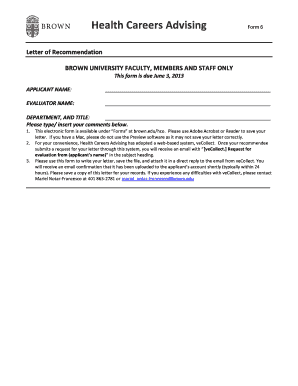
Filling out the Vecollect form is an important step in submitting a letter of recommendation for health careers advising. This guide will provide clear, step-by-step instructions to help you navigate the process with confidence.
Follow the steps to successfully complete the Vecollect form
- Press the ‘Get Form’ button to access the document and open it in your preferred editor.
- Enter the applicant's name in the designated field at the top of the form.
- Fill in your name as the evaluator, ensuring that you include any relevant titles along with your department.
- Use the text area provided to enter your comments regarding the applicant. You can list multiple points as required.
- Once you have completed the letter, save the document carefully, ensuring that all your information is correctly inputted.
- Attach the saved letter in a direct reply to the email you received from Vecollect regarding the request for evaluation.
- After submission, you should receive a confirmation email indicating that your letter has been uploaded to the applicant’s account.
- Keep a copy of your letter for your records, in case you need to reference it in the future.
Complete your documents online for a smooth submission process.
veCollect allows evaluators to securely send their evaluations on letterhead & with signatures via email directly to the veCollect system. Each letter is screened by a veCollect team member to ensure that it is going to the correct applicant record.