Loading
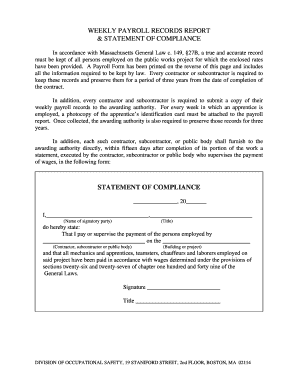
Get Massport Weekly Certified Payroll Report Form Cp2
How it works
-

Open form follow the instructions
-

Easily sign the form with your finger
-

Send filled & signed form or save
How to fill out the Massport Weekly Certified Payroll Report Form Cp2 online
Completing the Massport Weekly Certified Payroll Report Form Cp2 is essential for ensuring compliance with the regulations governing public works projects in Massachusetts. This guide will provide a clear and structured approach to filling out the form online.
Follow the steps to complete the payroll report accurately.
- Press the ‘Get Form’ button to access the payroll form and open it for editing.
- Begin filling out the top section of the form with the name of the contractor or subcontractor. Ensure that all details are accurate as this sets the foundation for the report.
- Enter the project name accurately in the designated area. This is important for identifying which public works project the payroll relates to.
- Complete the weekly payroll section by listing all employees working on the project. Include their names, job titles, and hours worked. Be precise in the details to maintain compliance.
- If apprentices were employed during the week, attach a photocopy of their identification card as required. This documentation must be included with the payroll report.
- Fill out the Statement of Compliance section at the end of the form. This includes the name of the signatory party, their title, and confirmation that all employees were compensated in accordance with Massachusetts wage laws.
- Review all information for accuracy before submission. Ensure that all relevant sections have been completed and that any required attachments are included.
- Once satisfied, save your changes and use the options available to download, print, or share the completed form as needed.
Get started on completing the Massport Weekly Certified Payroll Report Form Cp2 online today!