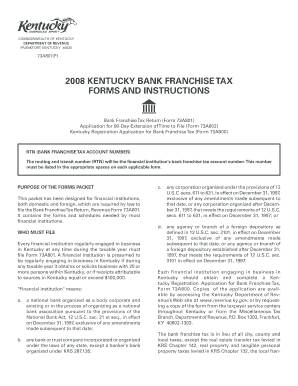
Get Bank Franchise Tax Return (form 73a801) Application For 90-day Extension Of Time To File (form
How it works
-

Open form follow the instructions
-

Easily sign the form with your finger
-

Send filled & signed form or save
How to fill out the Bank Franchise Tax Return (Form 73A801) Application for 90-Day Extension of Time to File online
Navigating tax forms can be complex, especially for financial institutions. This guide provides clear, step-by-step instructions to help you fill out the Bank Franchise Tax Return (Form 73A801) Application for a 90-Day Extension of Time to File accurately and efficiently. By following these instructions, you can ensure compliance while minimizing the risk of errors.
Follow the steps to successfully complete your Bank Franchise Tax Return extension application.
- Press the ‘Get Form’ button to access the Bank Franchise Tax Return Form 73A801 and open it for editing.
- Fill in the RTN (Routing and Transit Number) in the designated section. This number acts as your bank franchise tax account number and must be included accurately.
- Provide the name of your financial institution, ensuring correct spelling and formatting.
- Enter the mailing address of your financial institution. Include street address, city, state, and ZIP code.
- Indicate your federal identification number in the appropriate field.
- Select the type of return by checking either the box for an Original Return or Amended Return, as applicable.
- In the ‘Computation of Bank Franchise Tax’ section, calculate the total net capital and apportionment percentage as instructed in the form.
- Determine your tax liability using the formula provided on the form. Be sure to check the amount you have paid with any extension request.
- After completing the tax calculations, review your entries for accuracy and completeness.
- Finalize your application by signing it and entering the date. If another person prepared it, provide their information as well.
- Submit your completed application either by postal mail or through available online submission options.
For more assistance and to complete your documents online, do not hesitate to get started on your application today!
To file an extension for Kentucky state taxes, you need to submit the Bank Franchise Tax Return (Form 73A801) Application For 90-Day Extension Of Time To File (Form) before the original due date of your return. Utilizing platforms like uslegalforms can simplify this process, providing you with the necessary forms and guidance. Make sure to follow the instructions carefully to secure your extension.
Industry-leading security and compliance
-
In businnes since 199725+ years providing professional legal documents.
-
Accredited businessGuarantees that a business meets BBB accreditation standards in the US and Canada.
-
Secured by BraintreeValidated Level 1 PCI DSS compliant payment gateway that accepts most major credit and debit card brands from across the globe.