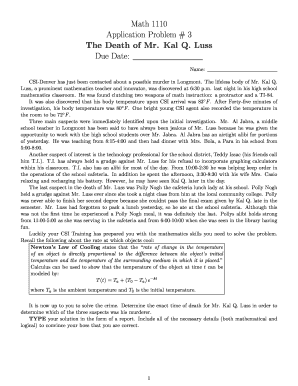
Get Application Problem # 3
How it works
-

Open form follow the instructions
-

Easily sign the form with your finger
-

Send filled & signed form or save
How to fill out the Application Problem # 3 online
This guide is designed to assist users in completing the Application Problem # 3 effectively. Whether you are familiar with digital documents or new to the process, the following steps provide a clear and easy-to-follow approach for filling out the form online.
Follow the steps to complete your application form online.
- Press the ‘Get Form’ button to access the Application Problem # 3. This action will allow you to obtain the necessary form and open it for editing.
- In the designated field for your name, enter your full name as you would like it to appear on the report. This is important for proper identification and records.
- Review the section that describes the crime scene, paying careful attention to the details provided regarding Mr. Kal Q. Luss’s death. Ensure all elements are clearly understood as they will influence your findings.
- Utilize the mathematical information provided, such as Newton’s Law of Cooling, to perform the necessary calculations. Document your methodology and conclusions clearly within the report.
- As you analyze the suspects and their alibis, thoroughly outline their relationships with the victim and how they might relate to the case. Ensure each suspect's information is documented clearly.
- Compile all your findings, mathematical solutions, and logical reasoning into a structured report format. Make sure that your conclusions are clear and convincing.
- Once the report is complete, review your work for clarity and correctness. After confirming all details, you can save changes, download the report, print it, or share it as needed.
Take the first step in solving the crime by completing the Application Problem # 3 online today.
To fix an application error on your computer, you can start by running the application in compatibility mode or as an administrator. If that does not work, try repairing the application through the Control Panel. For persistent issues related to Application Problem # 3, consider using resources from uslegalforms, which can guide you in troubleshooting and resolving these errors effectively.
Industry-leading security and compliance
-
In businnes since 199725+ years providing professional legal documents.
-
Accredited businessGuarantees that a business meets BBB accreditation standards in the US and Canada.
-
Secured by BraintreeValidated Level 1 PCI DSS compliant payment gateway that accepts most major credit and debit card brands from across the globe.