Loading
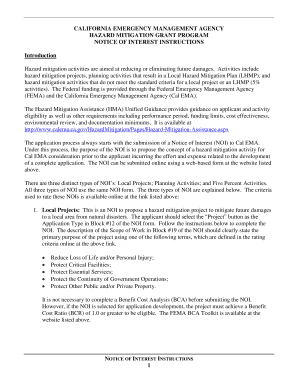
Get Cal Oes Forms
How it works
-

Open form follow the instructions
-

Easily sign the form with your finger
-

Send filled & signed form or save
How to fill out the Cal Oes Forms online
Filling out the Cal Oes Forms online is a straightforward process that enables users to propose hazard mitigation activities effectively. This guide provides step-by-step instructions for each section of the form to ensure a smooth and accurate submission.
Follow the steps to successfully complete the Cal Oes Forms.
- Press the ‘Get Form’ button to access the form and open it in your online editor.
- In the first section, provide the first and last name of the person completing the Notice of Interest (NOI) form.
- Indicate whether you have reviewed the NOI instructions by selecting ‘yes’ to certify your understanding of the instruction material.
- Enter the Federal Identification Processing System (FIPS) number for the applicant. If unknown, contact Cal Oes for assistance.
- Input the Data Universal Numbering System (DUNS) number for the applicant. If you do not have this information, reach out to Dunn & Bradstreet for help.
- Provide the name of the entity applying for the grant funds, ensuring consistency with the provided FIPS number.
- Fill in the mailing address of the applicant, including city, county, state, and zip code.
- Select the appropriate applicant type, which may include state and local governments or special districts.
- List the legislative district numbers relevant to the project, including both the applicant's address and project site if different.
- Input the name and contact details of the authorized applicant agent who will act on behalf of the applicant entity.
- Include the name and details of a project manager or working contact for communication with Cal Oes.
- Select one of the three application types: project, planning activity, or 5% activity.
- Choose the hazard type from the dropdown menu, selecting 'Multi-Hazard' for planning activities.
- Select the specific activity type from the dropdown options provided.
- Provide a clear title for the proposed activity that reflects its purpose.
- For planning activities only, identify the population affected using current census data, listing all jurisdictions covered.
- For local projects, specify the latitude and longitude of the activity location with precise measurements.
- Describe the problem that this project aims to mitigate, detailing the hazards and vulnerabilities involved.
- Clearly outline the scope of work, including mitigation goals and details about the project or activity.
- Indicate the estimated performance period for the activity, ensuring it does not exceed 36 months.
- State whether this activity is being funded through another federal program.
- Fill out the activity costs, detailing the federal share, applicant match, and total activity cost.
- For local projects, indicate the approved date of the Local Hazard Mitigation Plan (LHMP) or expected approval date.
- Provide a narrative explaining how the proposed activity aligns with the LHMP, including references to specific document sections.
- Once all sections are filled, save your changes, download the form, print it, or share as necessary.
Start completing your Cal Oes Forms online today for effective hazard mitigation!
About Cal OES | California Governor's Office of Emergency Services. Skip to Main Content.
Industry-leading security and compliance
US Legal Forms protects your data by complying with industry-specific security standards.
-
In businnes since 199725+ years providing professional legal documents.
-
Accredited businessGuarantees that a business meets BBB accreditation standards in the US and Canada.
-
Secured by BraintreeValidated Level 1 PCI DSS compliant payment gateway that accepts most major credit and debit card brands from across the globe.