Loading
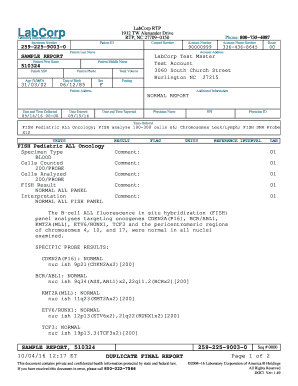
Get Labcorp Patient Report 2020-2026
How it works
-

Open form follow the instructions
-

Easily sign the form with your finger
-

Send filled & signed form or save
How to fill out the Labcorp Patient Report online
Filling out the Labcorp Patient Report online is a straightforward process. This guide will provide you with a step-by-step approach to ensure you complete the form accurately and efficiently.
Follow the steps to complete your Labcorp Patient Report.
- Press the ‘Get Form’ button to access the Labcorp Patient Report and open it for editing.
- Begin by entering your personal information in the designated fields. Fill in your last name, first name, and middle name (if applicable). Ensure the spelling is accurate.
- Next, input your date of birth and age in years, months, and days format. Be sure your age corresponds with the date of birth provided.
- Provide your sex as indicated on the form. Make sure to check that this aligns with your identification documents.
- Fill in your contact information: phone number and address. This is essential for any follow-up communication.
- Locate the specimen number and patient ID sections, and ensure these are correctly filled out as provided by your healthcare provider.
- Check any additional information required, such as fasting status or specific conditions, and mark accordingly.
- Review the sections pertaining to specimen collection details, including the date and time collected, and ensure they are accurate.
- Once you have completed all the sections, save your changes, and decide whether to download, print, or share the completed Labcorp Patient Report.
Complete your Labcorp Patient Report online for a smoother and faster healthcare experience.
The time it takes for lab results to appear can vary by test type but usually ranges from 1 to 3 days. For more urgent tests, you may receive your Labcorp Patient Report sooner. Knowing when to expect your results helps you plan your follow-up care effectively.