Loading
Get Travel Waiver
How it works
-

Open form follow the instructions
-

Easily sign the form with your finger
-

Send filled & signed form or save
How to fill out the Travel Waiver online
This guide provides comprehensive instructions on how to successfully complete the Travel Waiver form online. By following these steps, you can ensure that all necessary information is accurately submitted to the athletic department.
Follow the steps to complete the Travel Waiver form online.
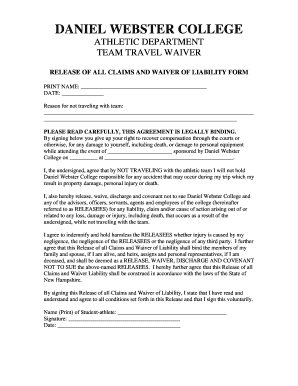
- Press ‘Get Form’ button to access the Travel Waiver and open it in the online editor.
- In the first field, enter your printed name as required. This ensures proper identification for the waiver.
- Next, fill in the date of completing the form to document when the waiver is signed.
- Provide the reason for not traveling with the team in the designated section. Be clear and concise in your explanation.
- Carefully read the waiver statement, which outlines the legal implications and your responsibilities. Understanding this is crucial.
- In the signature section, sign your name to confirm your agreement to the terms of the waiver. Ensure that your signature is clear.
- Finally, save your changes and choose to download, print, or share the completed Travel Waiver as needed.
Complete your Travel Waiver online today and ensure your participation is documented!
To obtain a US travel waiver, you must first determine the specific waiver you need based on your travel restrictions. Next, complete the application form and gather all necessary supporting documents. After submission, monitor your application status. USLegalForms provides step-by-step guidance to help you through the application process seamlessly.