Loading
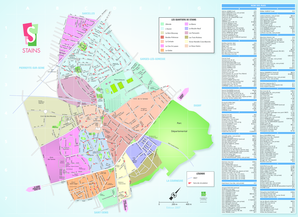
Get Plan Stains
How it works
-

Open form follow the instructions
-

Easily sign the form with your finger
-

Send filled & signed form or save
How to fill out the Plan Stains online
Filling out the Plan Stains form online is a straightforward process that allows users to provide necessary information regarding the streets and buildings in the area. This guide will help you navigate each section and field of the form with ease.
Follow the steps to complete the Plan Stains form online.
- Press the ‘Get Form’ button to acquire the Plan Stains document and open it in the editor.
- Review the first section that asks for general information regarding the streets. Ensure that you correctly input the name of the street as listed in the document.
- Proceed to fill out any specific fields that require detailed descriptions, such as the type of street (e.g., avenue, rue, or square). Be sure to refer to the corresponding labels provided.
- Continue providing any additional details required by subsequent sections, keeping the format consistent with the examples given for each type of entry.
- Once all fields are filled out, review your entries for accuracy to ensure completeness.
- Finally, utilize the options available to save changes, download, print, or share the completed Plan Stains form.
Complete your Plan Stains document online to efficiently manage your records.
Vinegar can be effective in removing banana stains due to its acidic properties. To use it, mix equal parts of vinegar and water, then apply this mixture to the stained area. Allow it to sit for a few minutes before blotting it away with a clean cloth. For deeper cleaning, consider products designed for plan stains, which might offer enhanced results.