Loading
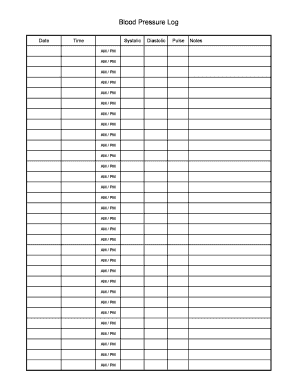
Get Blood Pressure Log.xls
How it works
-

Open form follow the instructions
-

Easily sign the form with your finger
-

Send filled & signed form or save
How to fill out the Blood Pressure Log.xls online
The Blood Pressure Log.xls is a vital tool for tracking your blood pressure readings consistently. This guide will provide you with detailed instructions on how to effectively fill out the form online to maintain an accurate health record.
Follow the steps to complete your Blood Pressure Log online.
- Click ‘Get Form’ button to access the Blood Pressure Log.xls and open it in your preferred editor.
- Locate the 'Date' field and input the date of your blood pressure measurement. Ensure the format is MM/DD/YYYY for consistency.
- In the 'Systolic' section, record the systolic blood pressure reading for each entry by using the relevant fields provided. If you take multiple readings in a day, ensure each is entered in the respective AM or PM slots.
- Utilize the 'Notes' section to add any additional comments or observations related to your health or circumstances surrounding your reading, such as medication taken or how you were feeling.
- Finally, choose to download, print, or share the completed Blood Pressure Log.xls as needed to maintain your health records.
Start managing your health more effectively by completing your Blood Pressure Log online today.
Related links form
Making a blood pressure log involves creating a structured template in Excel where you can track your readings. You can either design your own or download Blood Pressure Log.xls from uslegalforms for a ready-to-use solution. By regularly updating your log, you equip yourself with valuable information to share with your healthcare provider.