Get Ec 15 Form
How it works
-

Open form follow the instructions
-

Easily sign the form with your finger
-

Send filled & signed form or save
How to fill out the EC 15 Form online
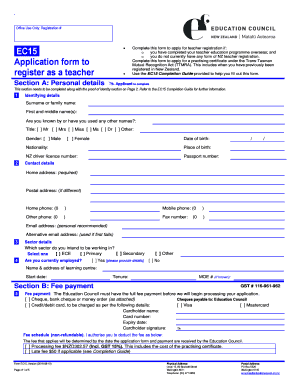
The EC 15 Form is essential for individuals seeking to register as teachers in New Zealand, especially those who have completed their teacher education overseas. This guide will provide a clear and supportive overview of each section of the form to facilitate a successful online submission.
Follow the steps to complete the EC 15 Form with ease.
- Press the ‘Get Form’ button to access the form and open it in your online editor.
- Fill out Section A: Personal details. Include your surname, first name(s), any other names used, title, gender, date of birth, nationality, and contact details. Ensure all information is accurate for effective communication.
- Complete the Fee payment Section B by selecting your payment method and providing the necessary details. Remember to authorize the payment as this is crucial for processing your application.
- In Section C: Education, provide your NZQA assessment report application number and list your qualifications along with the associated transcripts. This section verifies your eligibility based on your educational background.
- Proceed to Section D: Experience. List your teaching experiences, specifying roles, locations, and duration of employment. Ensure to highlight any professional status if applicable.
- Move to Section E: Overseas police certificates. List any countries you have lived in for 12 months or more in the last ten years and attach the required certified police certificates.
- Fill out Section F: Language proficiency. Indicate your proficiency in English or Māori and, if necessary, attach results from an approved language test.
- In Section G: Applicant declaration, respond to the questions regarding your fit to practice and characterize your personal situation. Ensure to provide clear explanations for any 'Yes' answers.
- Review all sections thoroughly to ensure accuracy and completeness. Save changes and prepare to either download, print, or share the completed form as needed.
- Finally, submit the completed EC 15 Form along with all required documents to the Education Council for processing.
Complete your EC 15 Form online today to commence your journey towards teacher registration in New Zealand.
Related links form
EC Form 15 is specifically for requesting the Encumbrance Certificate, which details property ownership and liabilities, while EC Form 17 is often used for recording additional information or transactions related to the property. Understanding the distinctions between these forms can help you navigate legal requirements more effectively. For comprehensive support with these forms, consider using platforms like USLegalForms to guide you through the process.